Your body doesn't reset at midnight.
Most calorie trackers grade you day by day. One big dinner and you've "failed."
Calorie Runway works differently.
A 7-day window instead of a daily grade.
You get a rolling 7-day runway. Eat less one day, more the next. As long as your week stays on track, you're winning.
The ring tracks today. The runway below it tracks the week. Let's walk through it.
Your first look at the app.
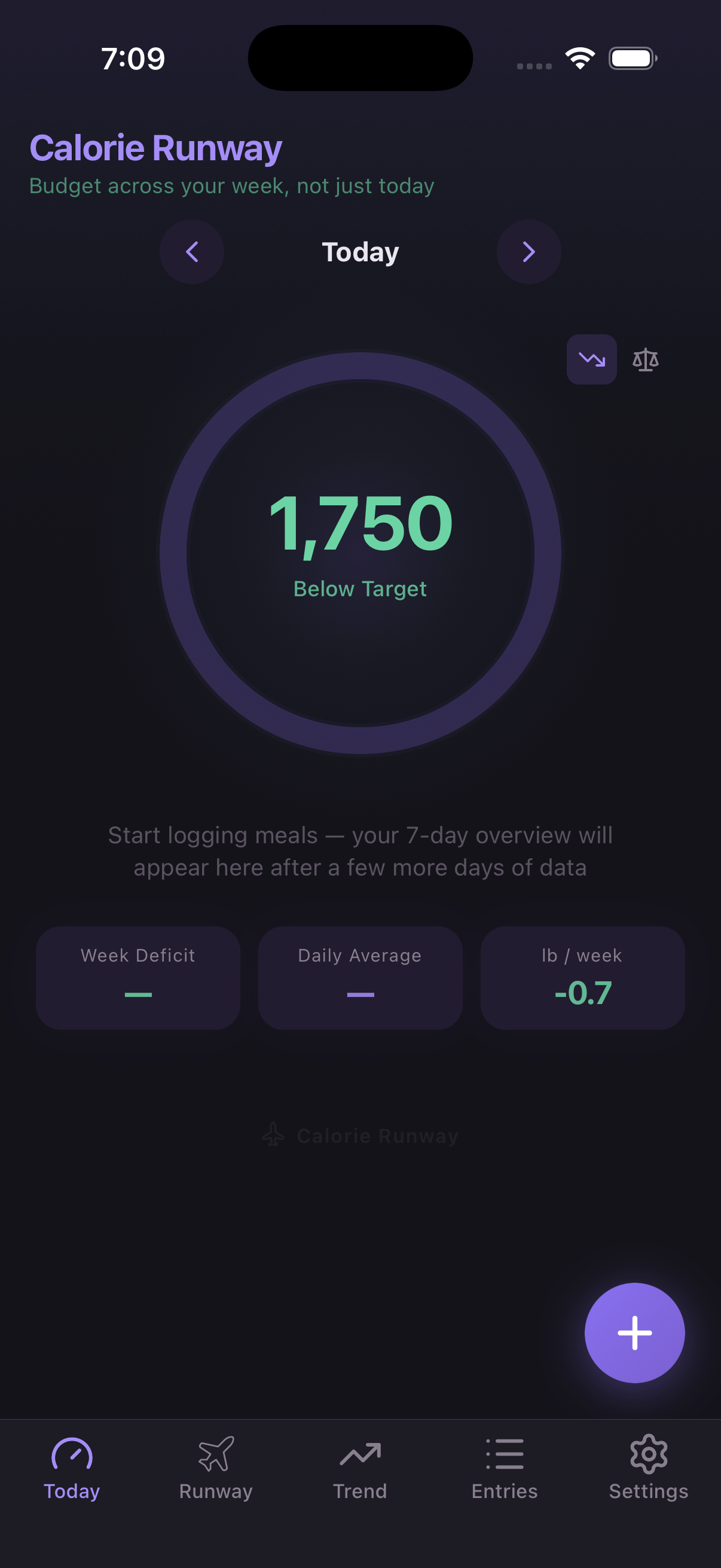
The ring shows today's calorie target — 1,750. You haven't eaten anything yet, so it says "Below Target."
Below the ring, three tiles will fill in as you log more days. The runway strip will appear after 5 days of data.
Log a meal in seconds.
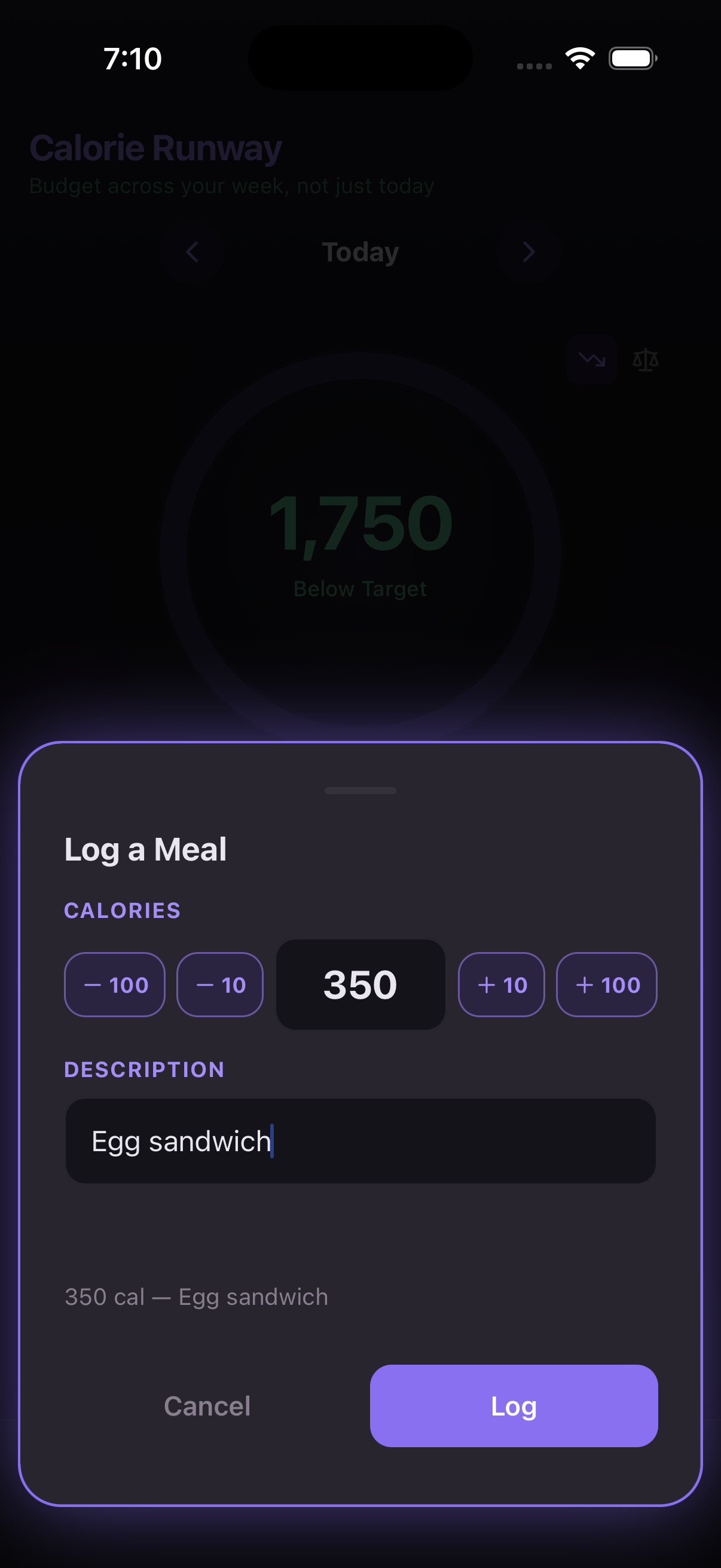
Tap the + button. Enter the calories and a short description. That's it.
No searching a database. No scanning barcodes. Just the number — you already know roughly how much it was.
The ring updates instantly.
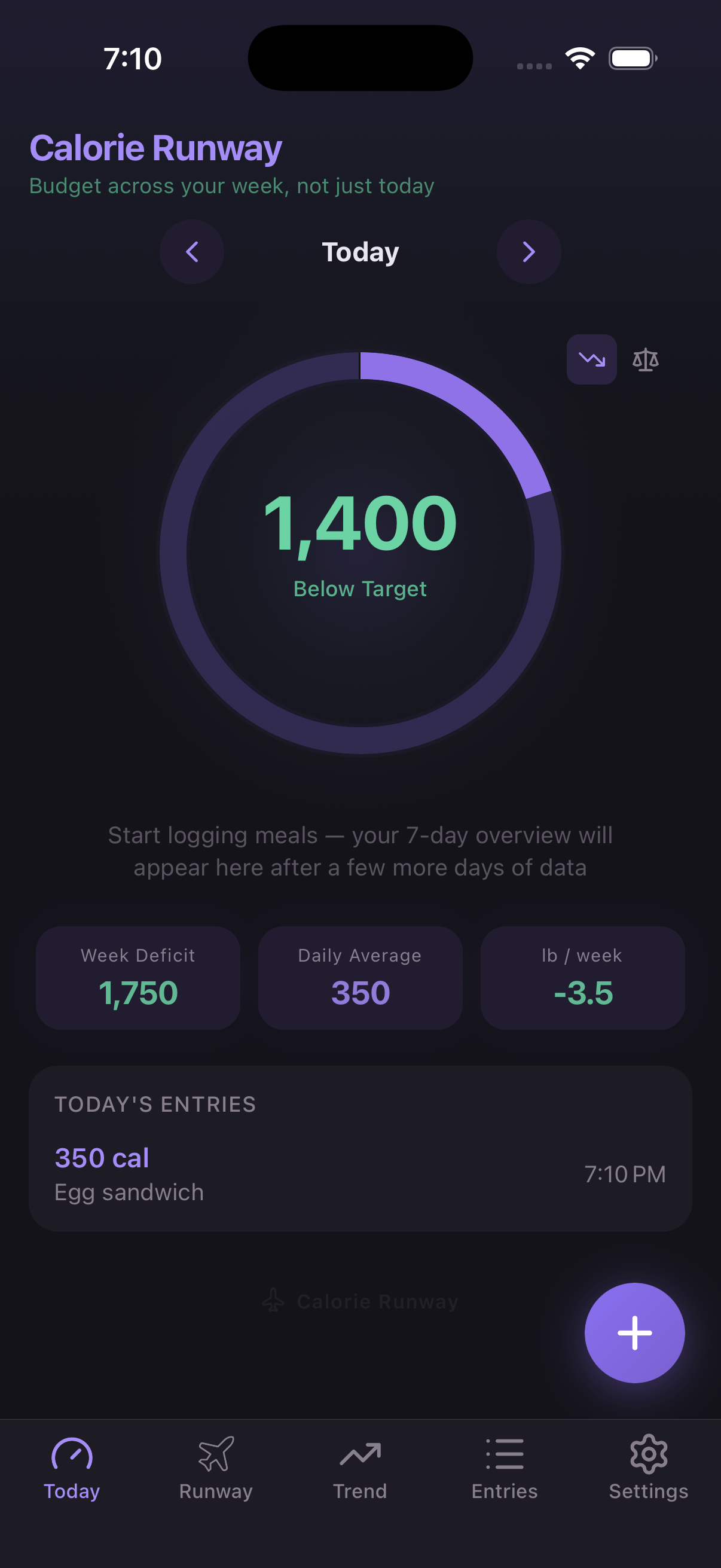
1,400 remaining. Your entry appears below — 350 cal, Egg sandwich.
The ring works like any calorie tracker. It's showing today's target minus what you've eaten. Nothing new here — the magic is in the runway that comes later.
A full day logged.
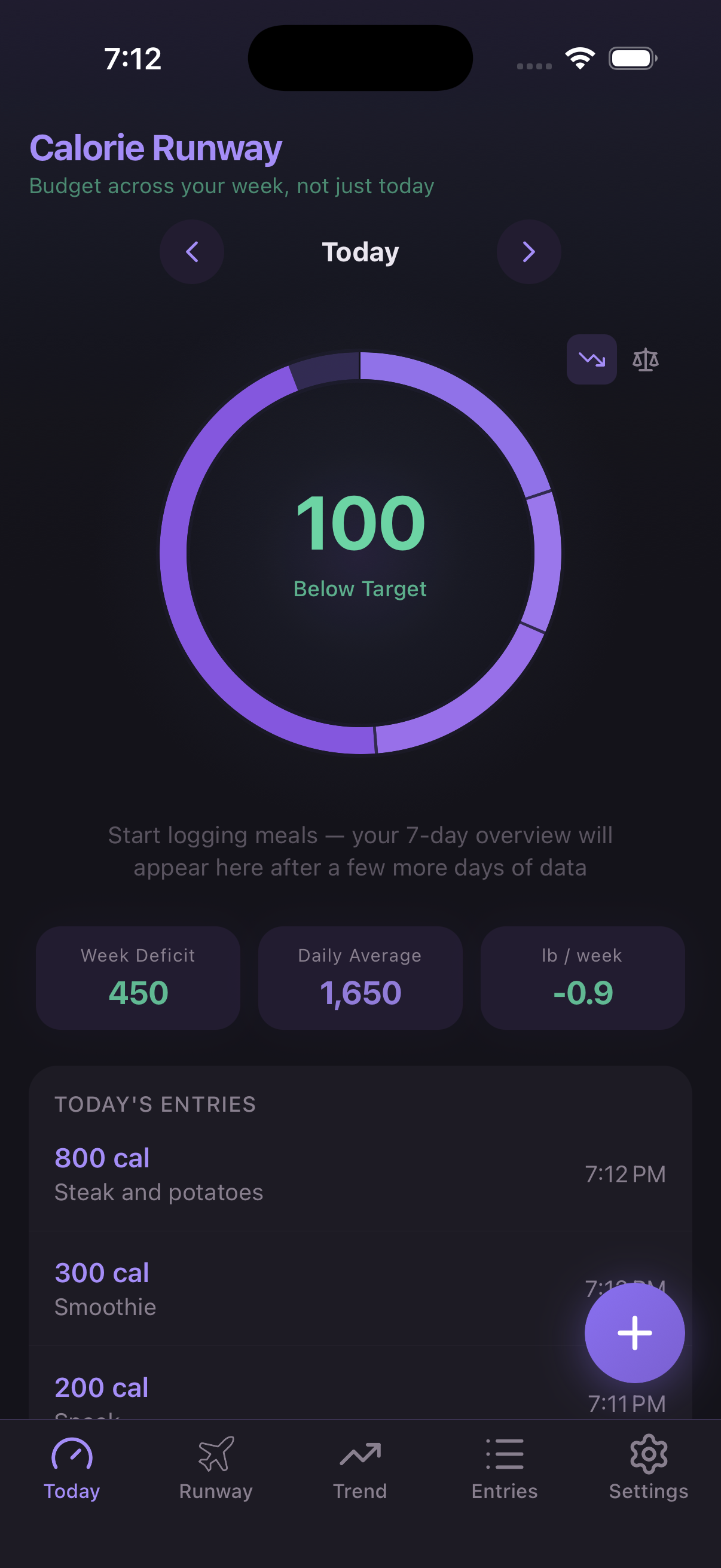
Three meals, 100 calories under target. The ring is almost full — that's a good day.
Those 100 extra calories? They don't disappear. They become runway — surplus you can use later in the week.
Log past days too.
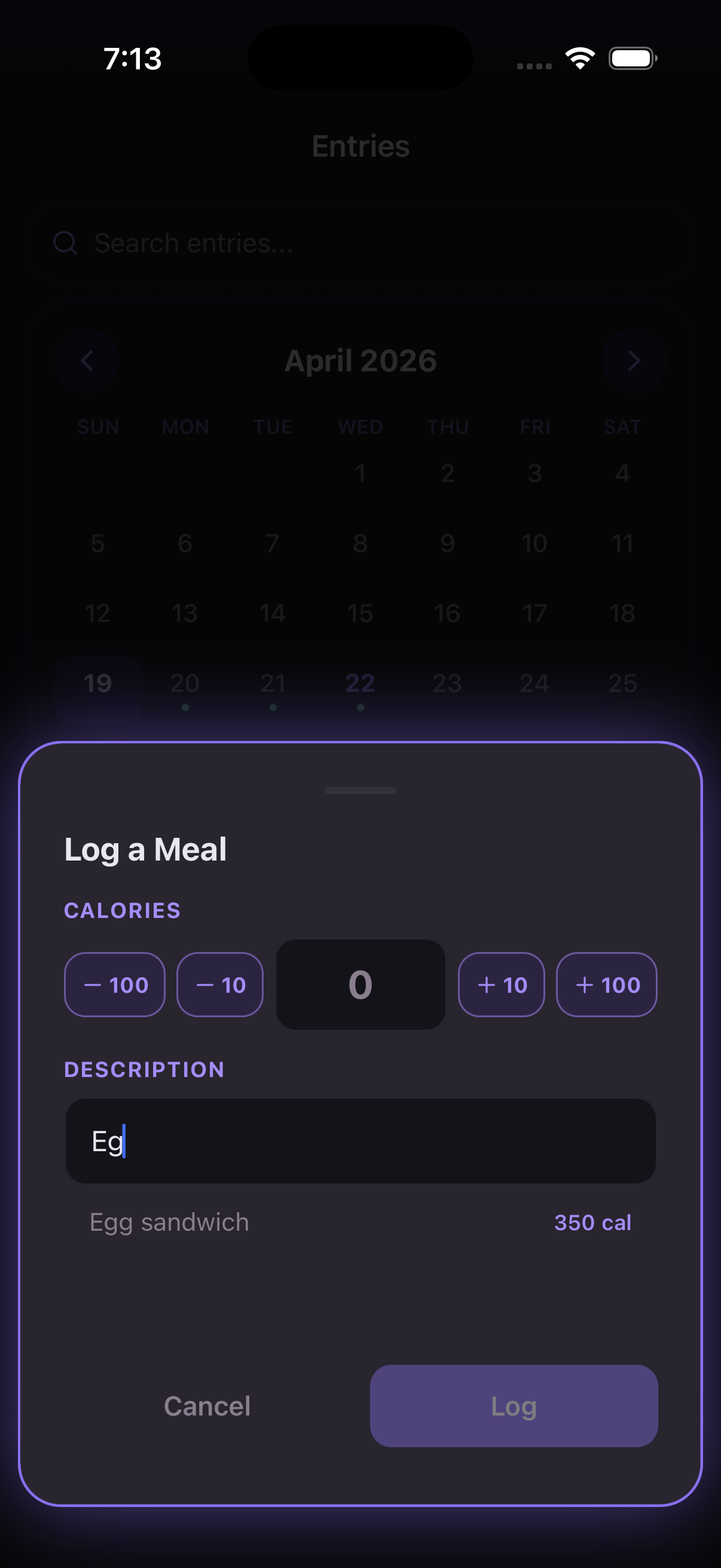
Forgot to log yesterday? No problem. Go to the Entries tab and tap any date to add meals.
The app remembers what you've eaten before. Start typing and it autocompletes — "Egg" shows "Egg sandwich, 350 cal" from last time.
The runway appears.
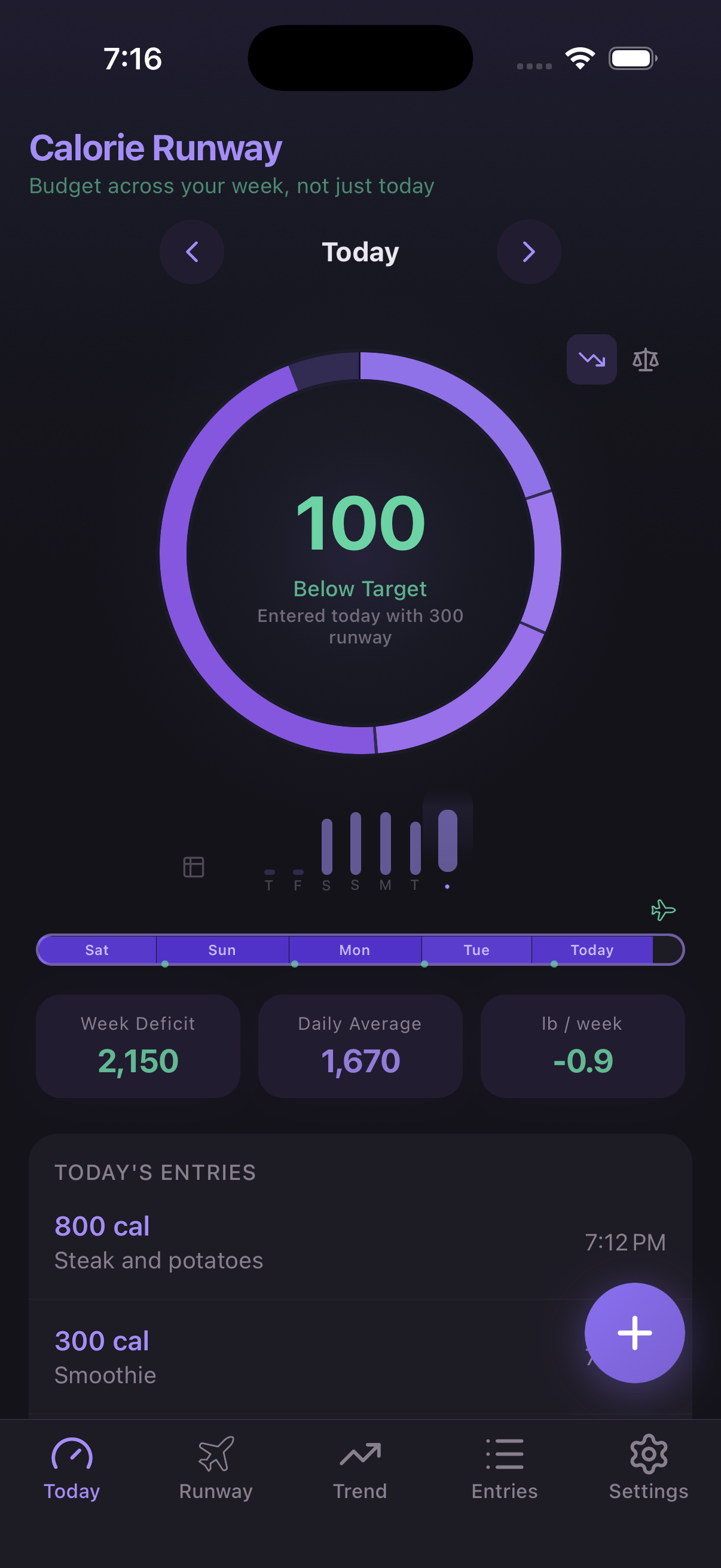
After 5 days of data, the runway strip shows up below the ring. This is the heart of the app.
Each bar is one day. Green dots mark the daily target. Days that fell short of the dot built surplus. Days that passed it used some up.
The ring now says "Entered today with 300 runway" — 300 extra calories carried over from previous days.
Seven days. The full picture.
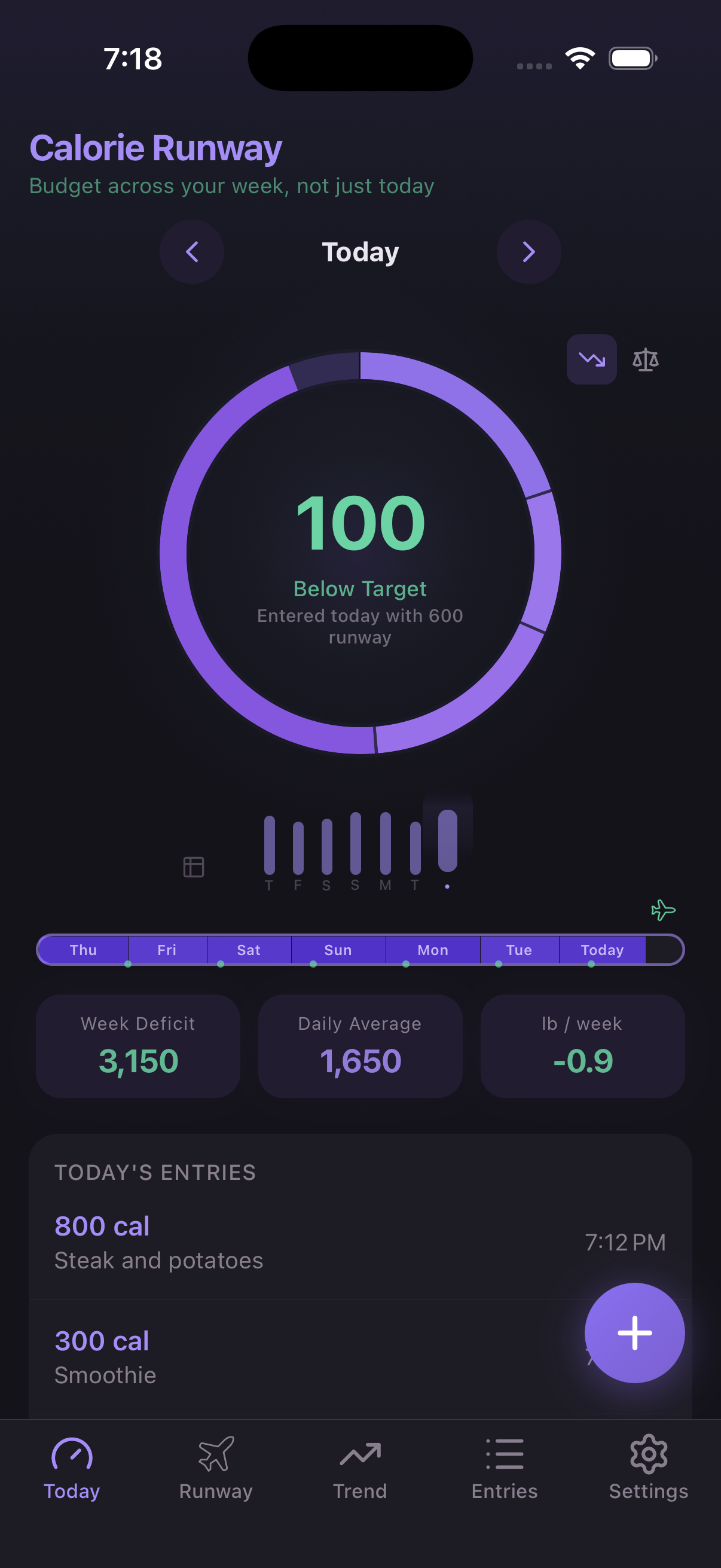
A full 7-day runway. You can see every day of the week at a glance.
The ring says "Entered today with 600 runway." That means your previous 6 days built up 600 calories of surplus. You could eat 600 over target today and still be on track for the week.
The goal: start every new day with a full day's runway or more.
Tap the runway for the numbers.
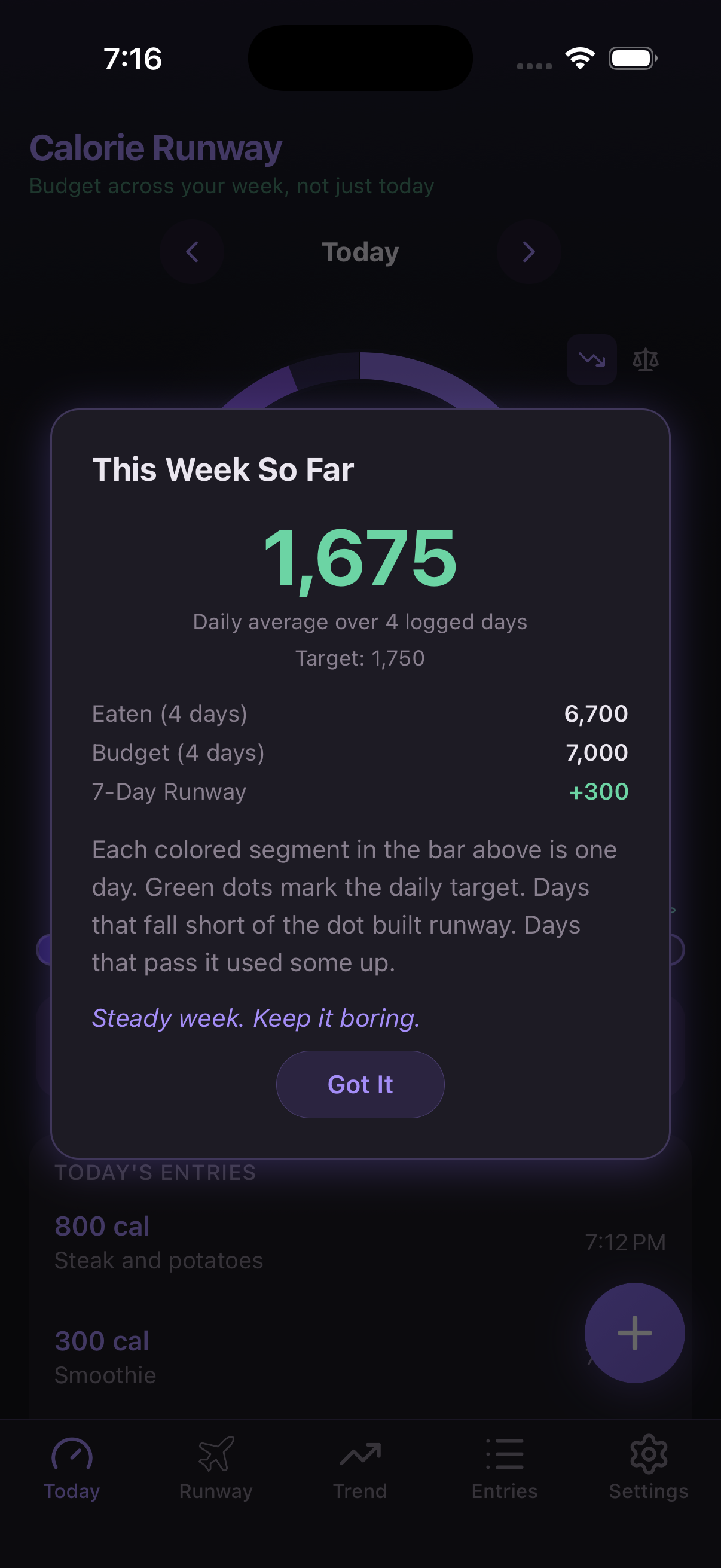
Tap the runway strip to see the breakdown: total eaten, total budget, and your surplus or deficit.
+300 surplus from 4 days. Under budget, on track. No daily grade — just the rolling week.
What happens when you go over?
In a daily tracker, going over your target means you failed. Here, it just means you used some runway.
If you keep going over, the app notices — and helps you adjust. No guilt. Just options.
A gentle heads-up.
If your last few days ran over target, a banner appears: "Your last 5 days ran 550 over target total."
It suggests raising your target if it's too tight. One tap and it's adjusted — no complicated math, no punishment.
Or just dismiss it. No pressure.
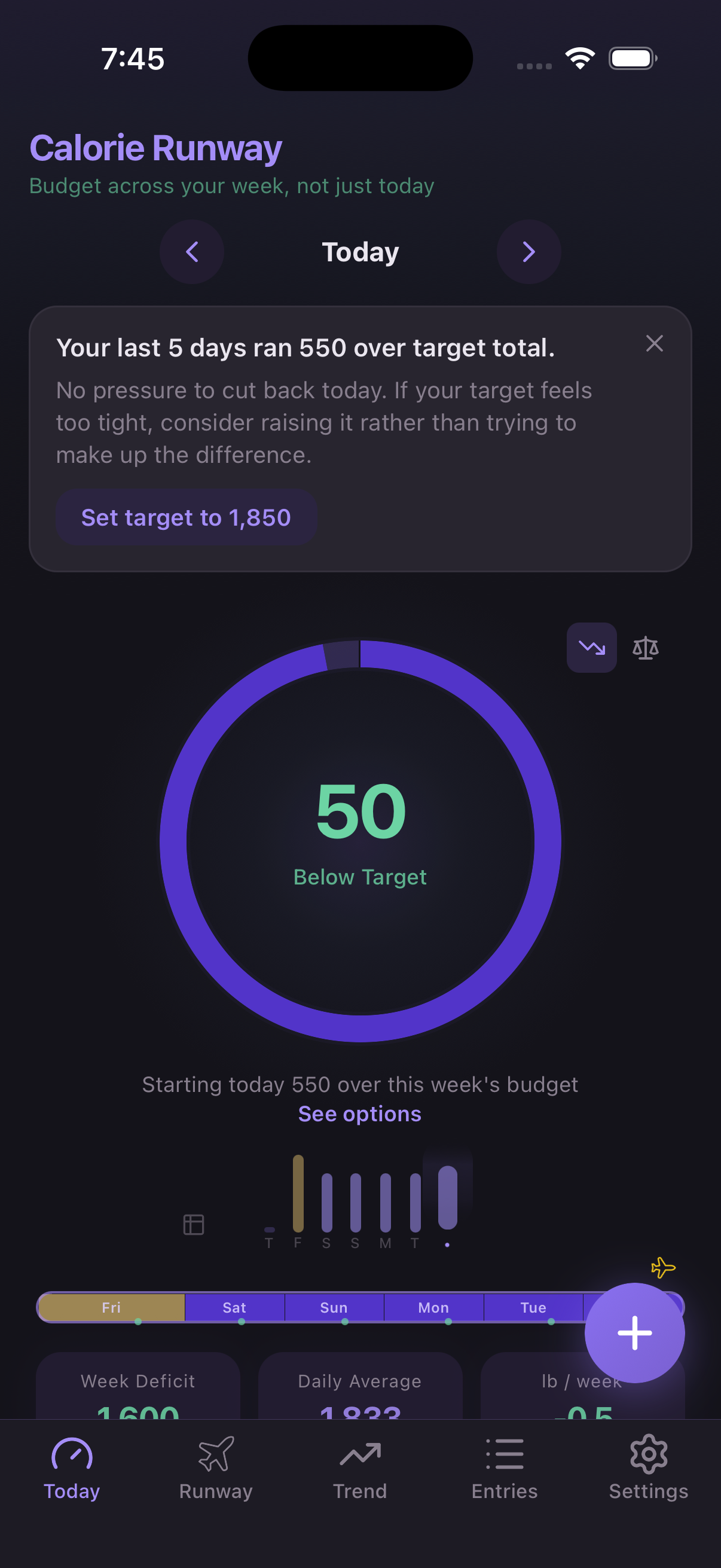
More info below the ring.
Below the ring, you'll see how much you're over for the week. Tap "See options" to open the runway detail and see your choices.
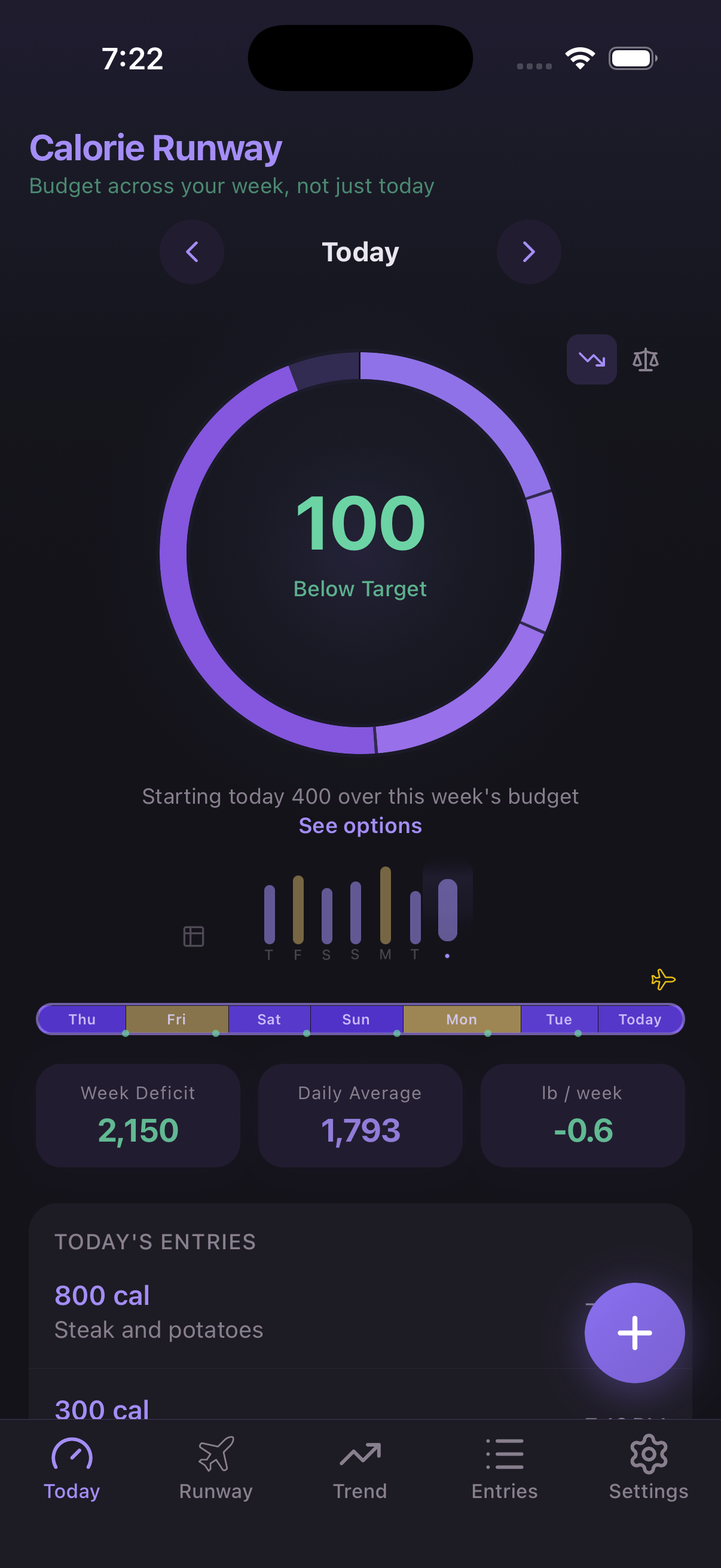
Adjust or start fresh.
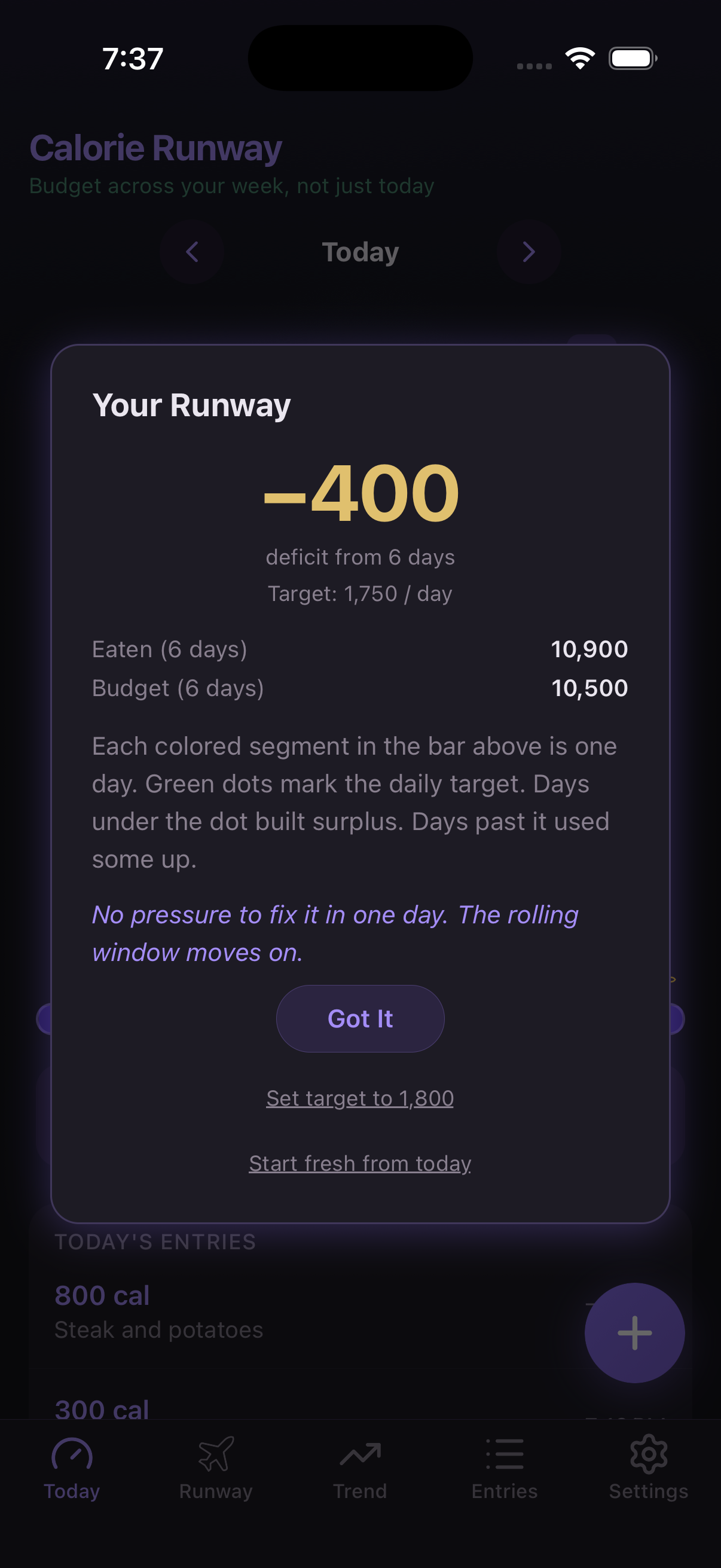
The runway detail shows −400 deficit from 6 days.
Set target to 1,800 — raise it to match what you're actually eating. Realistic targets stick.
Start fresh from today — reset the runway. Your entries stay, but the weekly view starts over. Like turning a page.
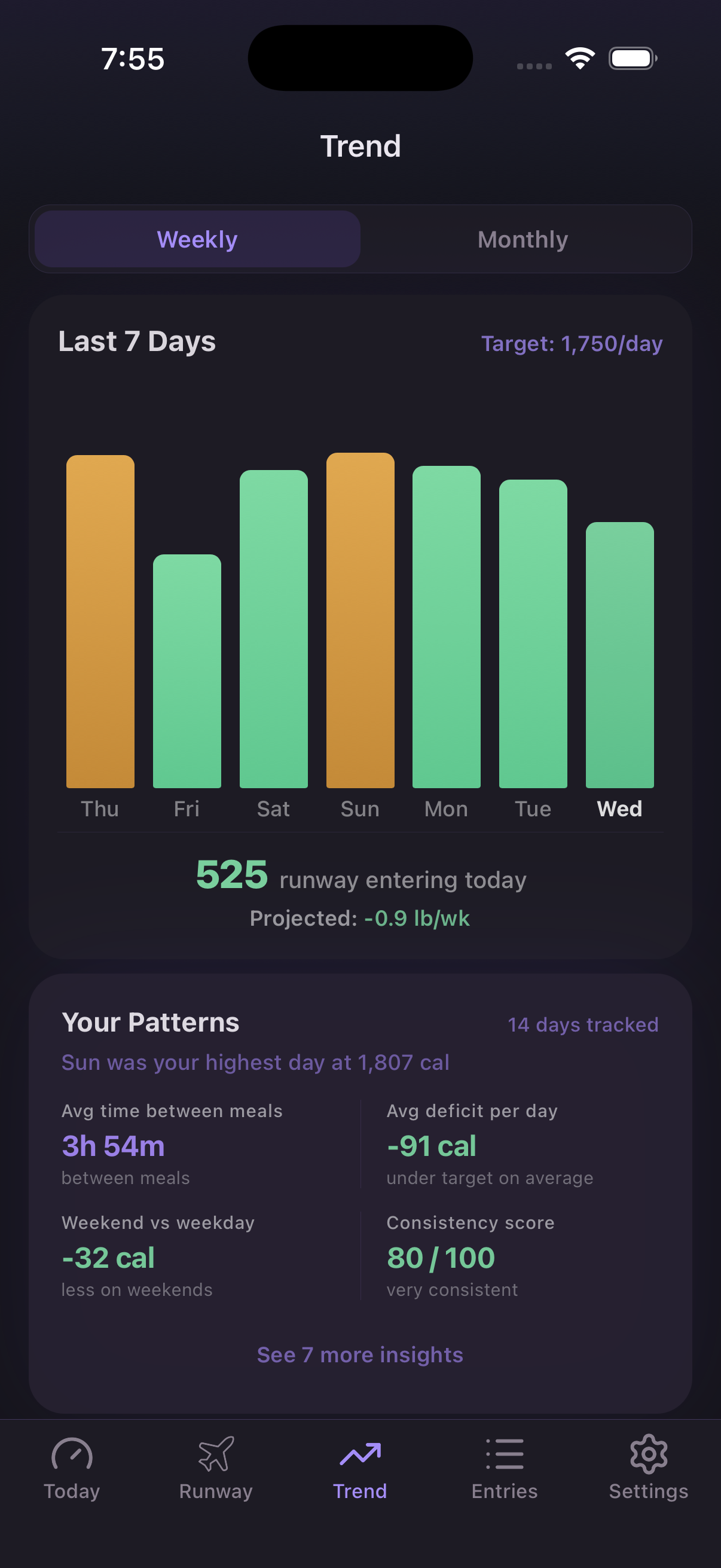
Trends, entries, and insights.
The Trend tab shows your week as a bar chart with projected weight change and patterns — like which day is your highest, and your consistency score.
The Entries tab is a calendar view where you can browse, edit, and add past meals.
And in Settings, you can switch between Fat Loss and Maintenance modes, adjust your target, and more.
A 7-day window. No daily grades. No guilt.
The ring tracks today. The runway tracks the week. Eat less one day, more the next. As long as your runway stays positive, you're on track.
Download on the App Store