console.log for the mind
low friction input
dense visualization
Personal Data Logging with Analytics
Guide/Forms
06Forms
A tracker takes one value per entry. Most things you want to log really are one value, which is why trackers are quick.
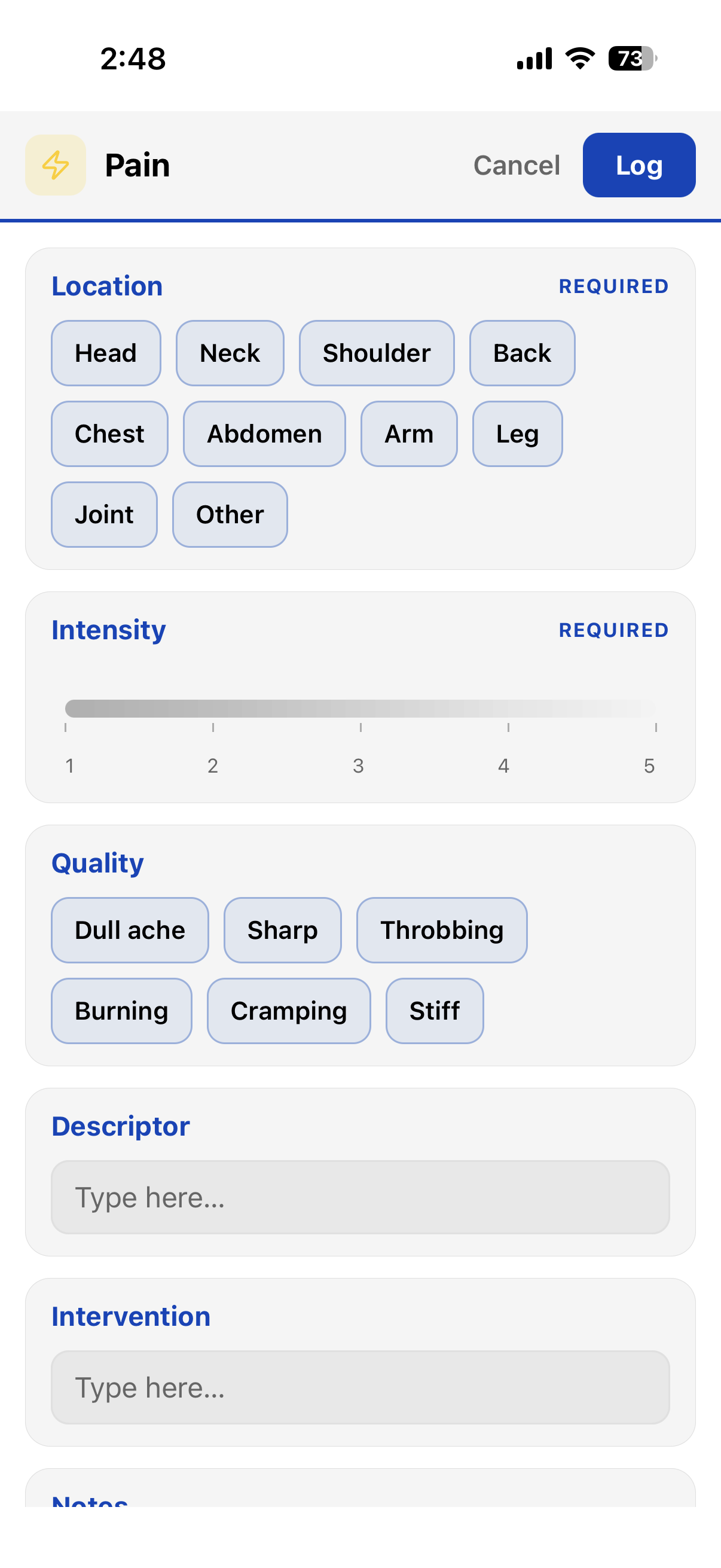
But some events have several parts that belong together. A pain episode has a location, an intensity, a quality, and whatever you did about it. A bowel event — if you’re tracking gut health, you already know — has a type on the Bristol scale, an amount, straining, urgency, how complete it felt.
Log those as five separate trackers and you’ve got five keys to remember, five entries to make, and nothing that says they were one event. A form is the fix: a set of fields on one screen, saved as a single entry.
Forms show up as dashed chips at the front of the Trackers tab in the Add dialog (and in Quick Track). Tap the chip to open the form:
Under the hood, a form is a bundle of trackers. Each field is its own tracker, and the entry is
saved as one note — one t line per field:
WHAT YOU FILL IN
THE NOTE IT SAVES
Nobody types that. You tap through a form. But because that’s what gets saved, a lot comes for free:
Build forms in App Menu→Extras→Forms. A form has a name, a color, an icon, and a list of fields. Each field is Select, Rating, Number, or Text, and can be marked required. Turn on Free-text Notes to add a notes box to every entry.
The builder is deliberately flat: fields in order, top to bottom. No branching, no conditional logic. A form should take seconds to fill in and a couple of minutes to build.
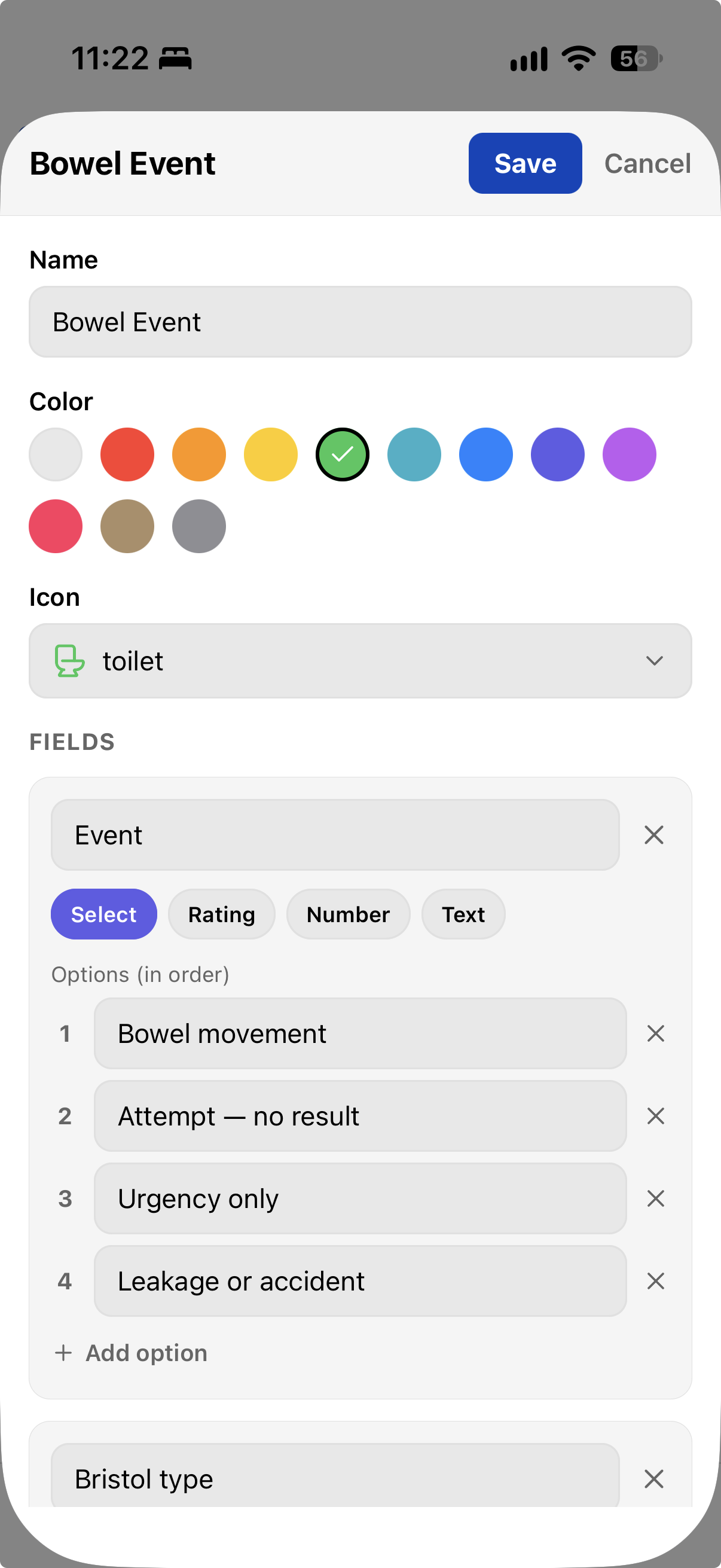
You don’t have to start from scratch. The library comes with templates you can use as-is or adjust before saving — and they’re not all about health:
Templates in App Menu→Extras→Forms.
Bowel Event
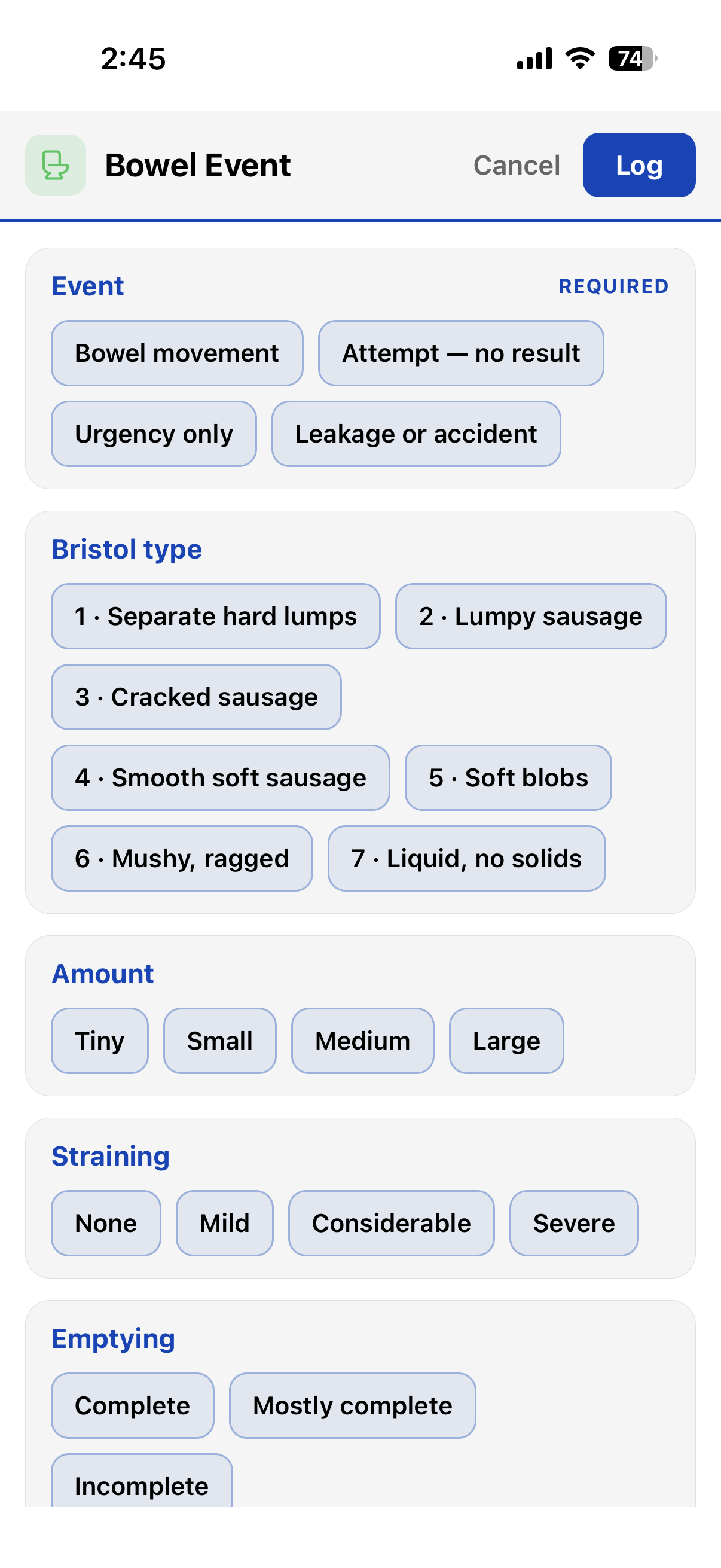
Event, Bristol type (with a description of each type right in the options), amount,
straining, emptying, urgency, notes.
Pain
Location, intensity, quality, descriptor, intervention, notes.
Restaurant Review
Place, overall / food / service / value ratings, dish, go back?
Date
Person, overall / connection / fun ratings, setting, see again?
To log, tap a form’s dashed chip — or open it from the forms library. Here’s a Bowel Movement entry partly filled in:
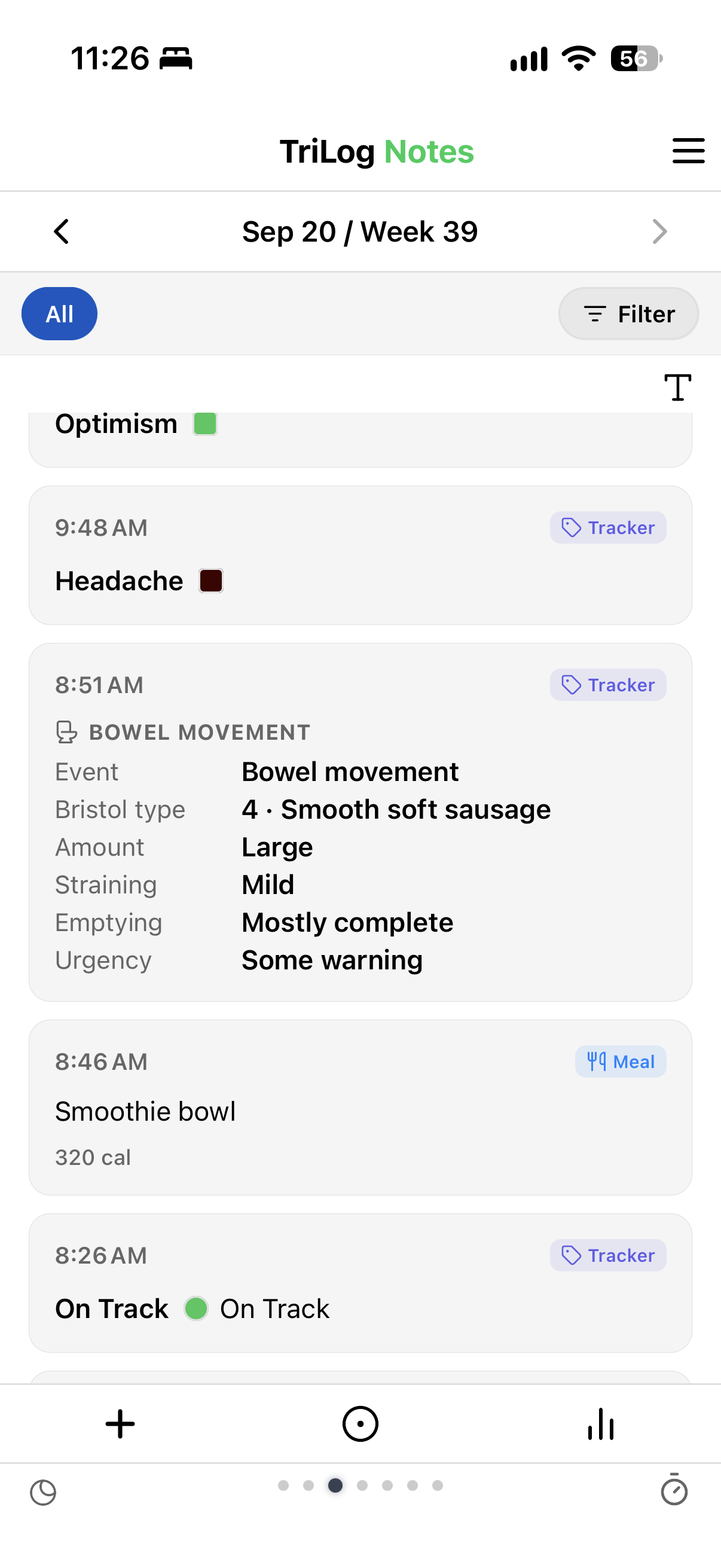
In your notes, a form entry reads as a summary card instead of six lines of shorthand. On the Notes chart, the Trio view, and the Day view, the whole entry is a single marker with the form’s icon.
Forms follow the same lens rule as trackers. Remove a field and it drops out of charts and filters, but your old entries don’t change. Add the same field back, and its history returns.
→ BACK TO THE GUIDE — NEXT: NOTES VIEW
· · ·
← Guide / Forms
TriLog for iOS — on the App Store
Support · Privacy · Terms