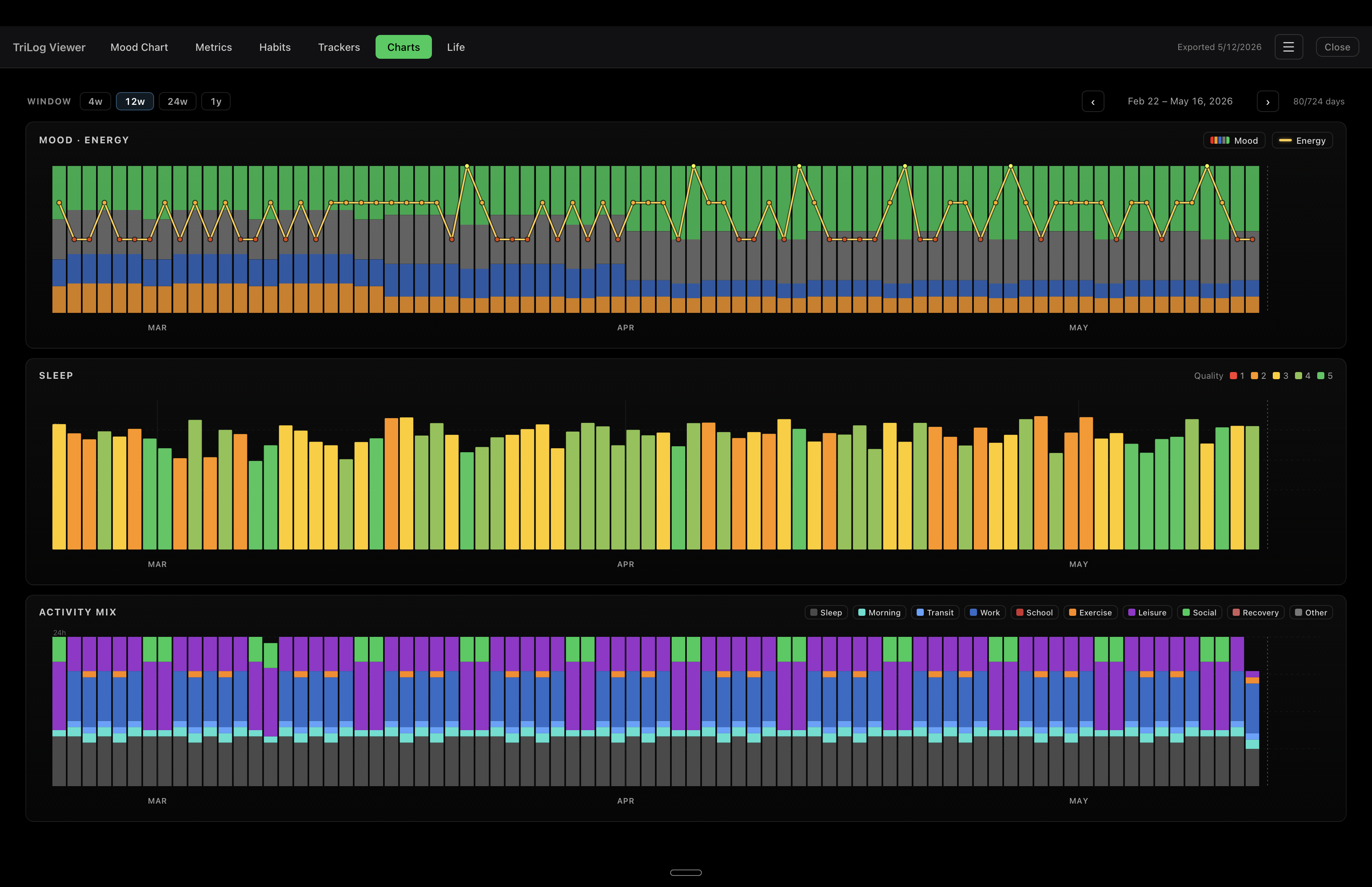
A native macOS app that opens an export from your iPhone and lays it out for a desktop screen. Mood, energy, activity, weather, habits, trackers — all in one wide grid.
Windows users: the installer is not yet code-signed, so Windows SmartScreen will show a warning on first launch. Click More info → Run anyway. We'll add a Windows code-signing certificate later.
No TriLog data yet? Download a sample journal (~2 MB) with 2 years of generated data — open it in the viewer to see every tab in action.
Sunday-anchored, week-by-week navigation. Every per-day metric the iPhone tracks — mood, energy, wellness, Thrive, weather, sleep, HK fields — laid out as one wide grid. Row visibility mirrors your iPhone settings.
The iPhone's punch-card chart, redrawn for the wider screen. Optional cycle, weather, and moon-phase strips. Hover any element for time + type + notes.
Your daily checkboxes as a 42-day grid. Spot streaks and gaps at a glance.
Every tracker type rendered the same as on the iPhone: numeric chips, traffic-light squares, toggle states, itemized counts. The data lines up exactly so you can cross-reference.
Optional 100-year × 52-week grid filled in week by week. Set a focus horizon to highlight the years you care most about.
Native Mac app, not a web view in a wrapper. Real menu bar, real keyboard shortcuts, no Electron tax.
Settings → Backup → Export Bundle (.zip).
AirDrop the zip to your Mac and unzip it — you'll get a journal.db file plus an images/ folder.
journal.db from the unzipped folder. The app loads it and switches to the Mood Chart tab.
macOS dark mode shown. Adapts to the system theme.
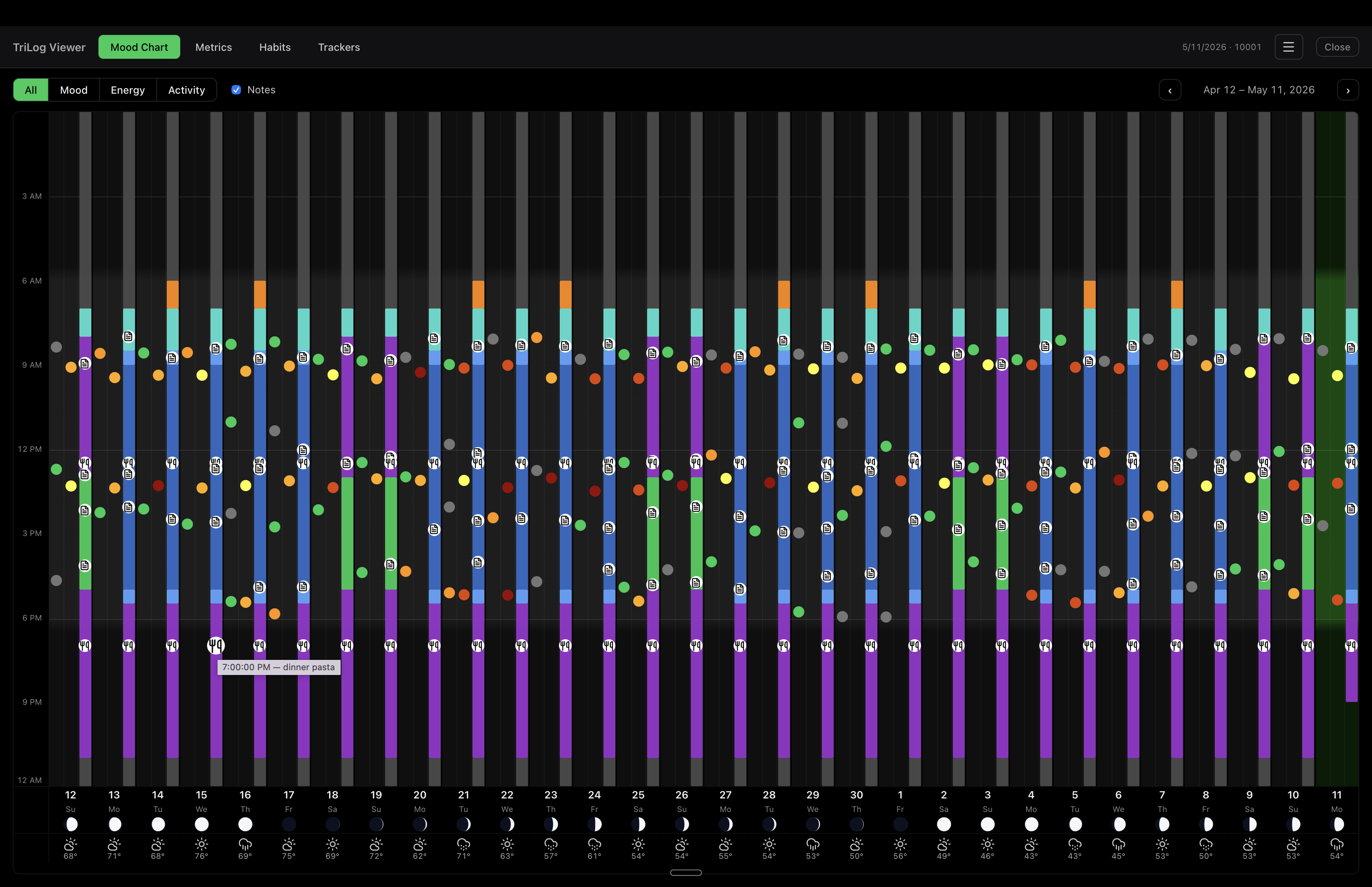
The iOS punch-card chart at desktop scale. Mood, energy, activity columns side by side, with moon phases and weather strips along the bottom.
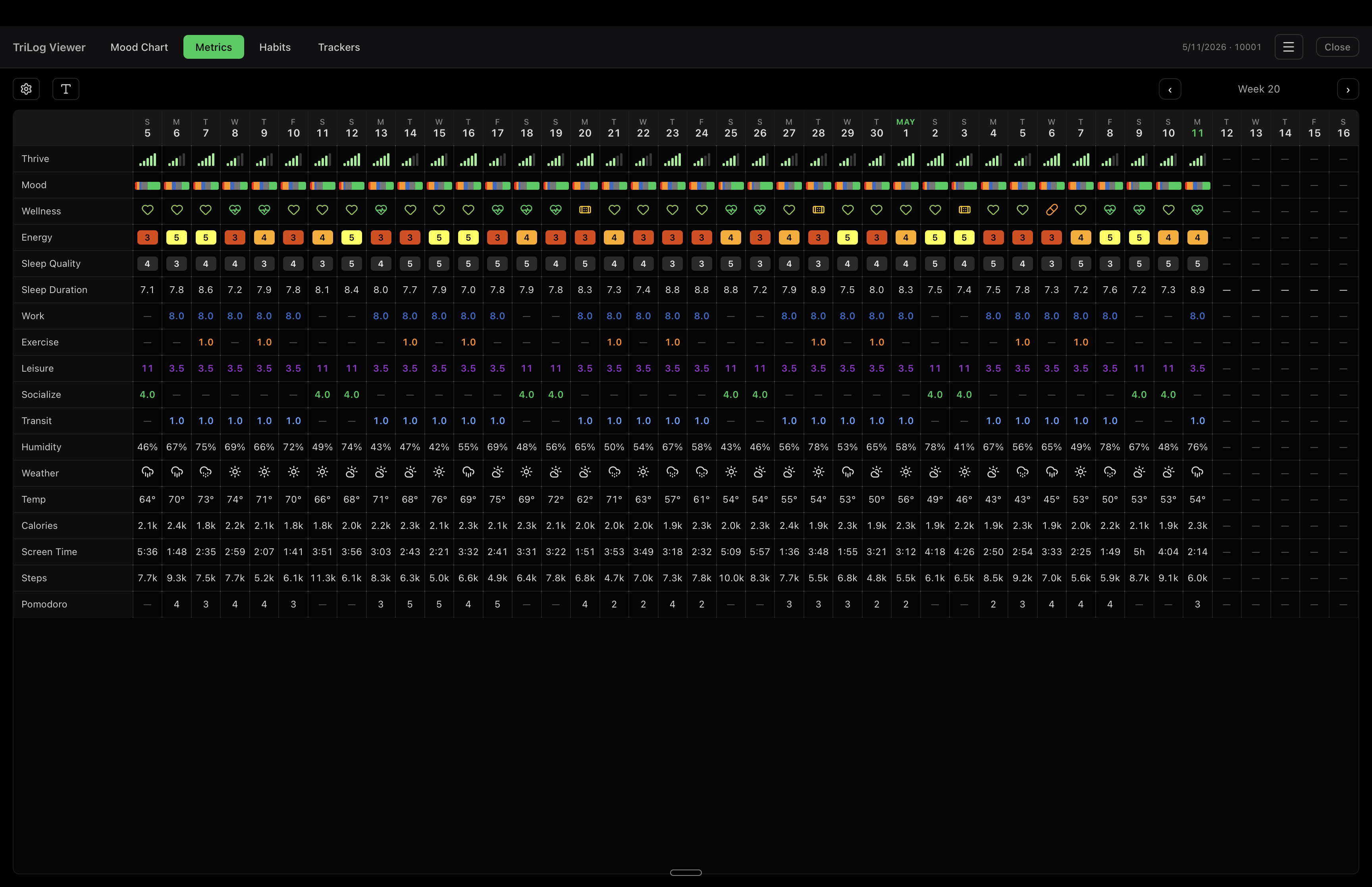
Six weeks of every per-day metric the iPhone tracks. Sunday-anchored grid, week-by-week navigation, row order and visibility match your iPhone WeekView.
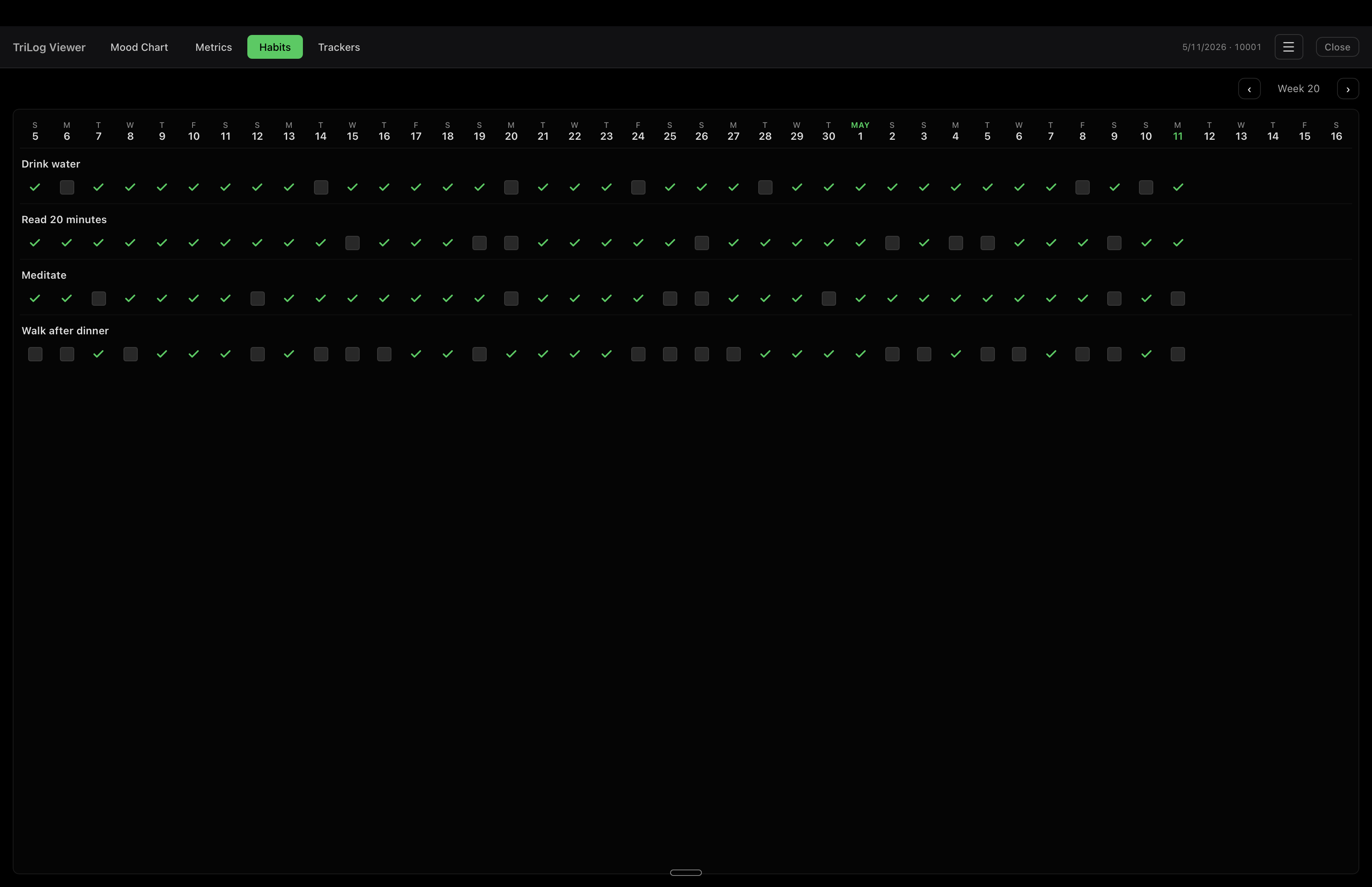
Each habit gets its own 42-day row. Green checks for completions, hollow squares for missed days, blank for the future.
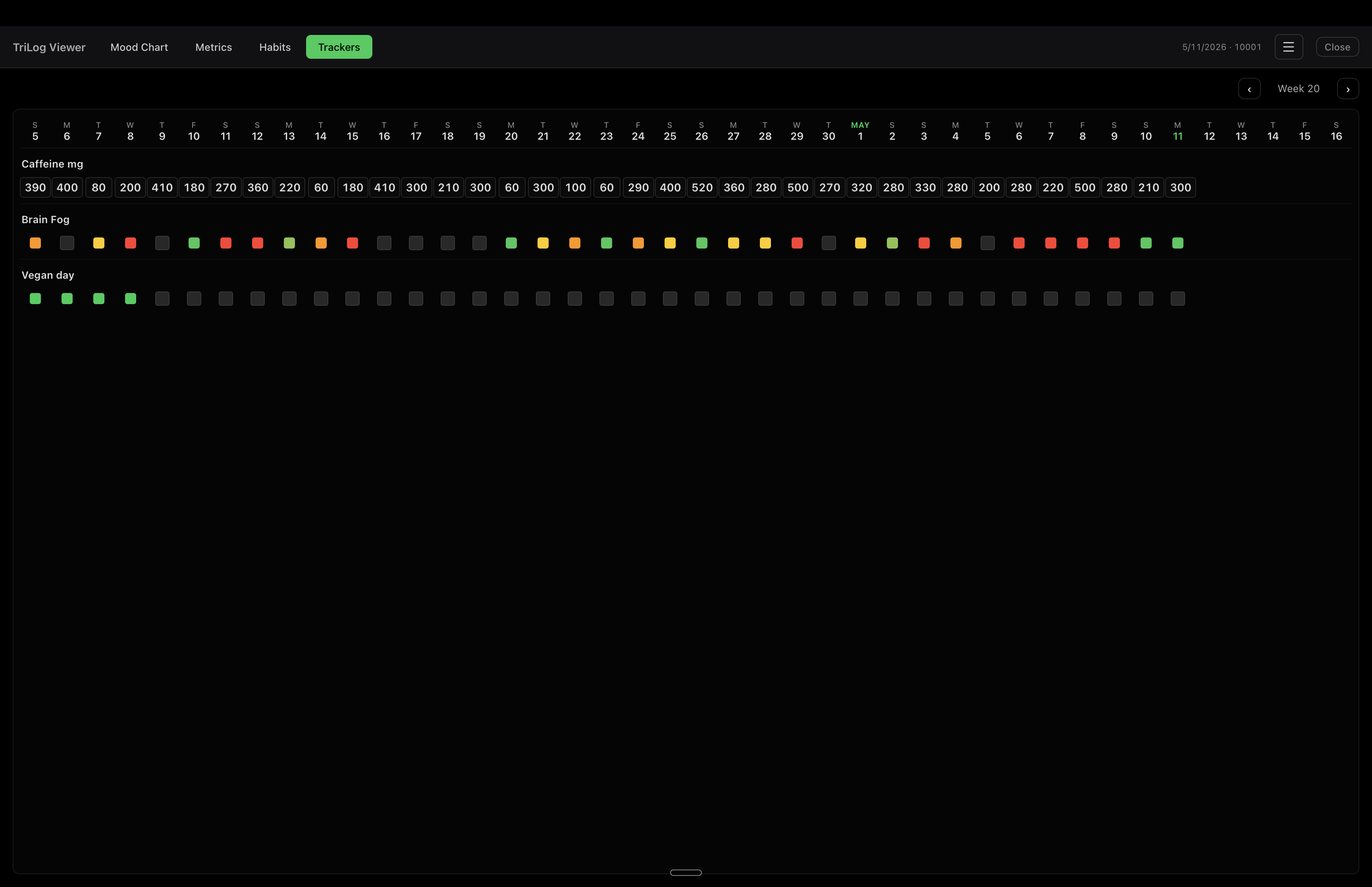
Every custom tracker rendered the same as on the iPhone. Sum chips, traffic-light squares, and toggle states all match — easy to cross-reference.
Per-day mood stack (upset → happy) with the energy line riding on top. Toggle either series off from the header.
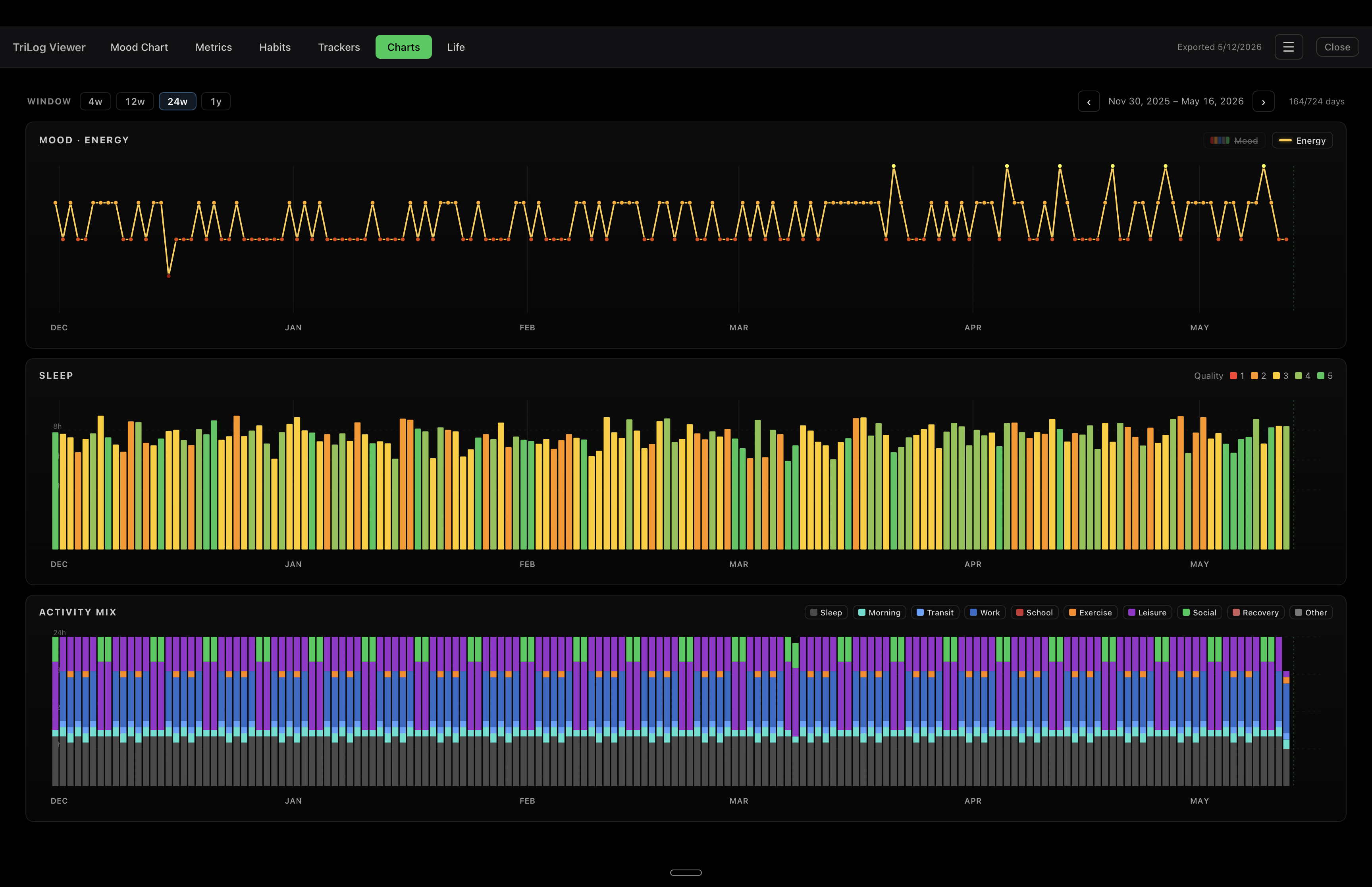
Mood bars hidden, energy alone. Useful for spotting weekly or monthly rhythms without the color noise.
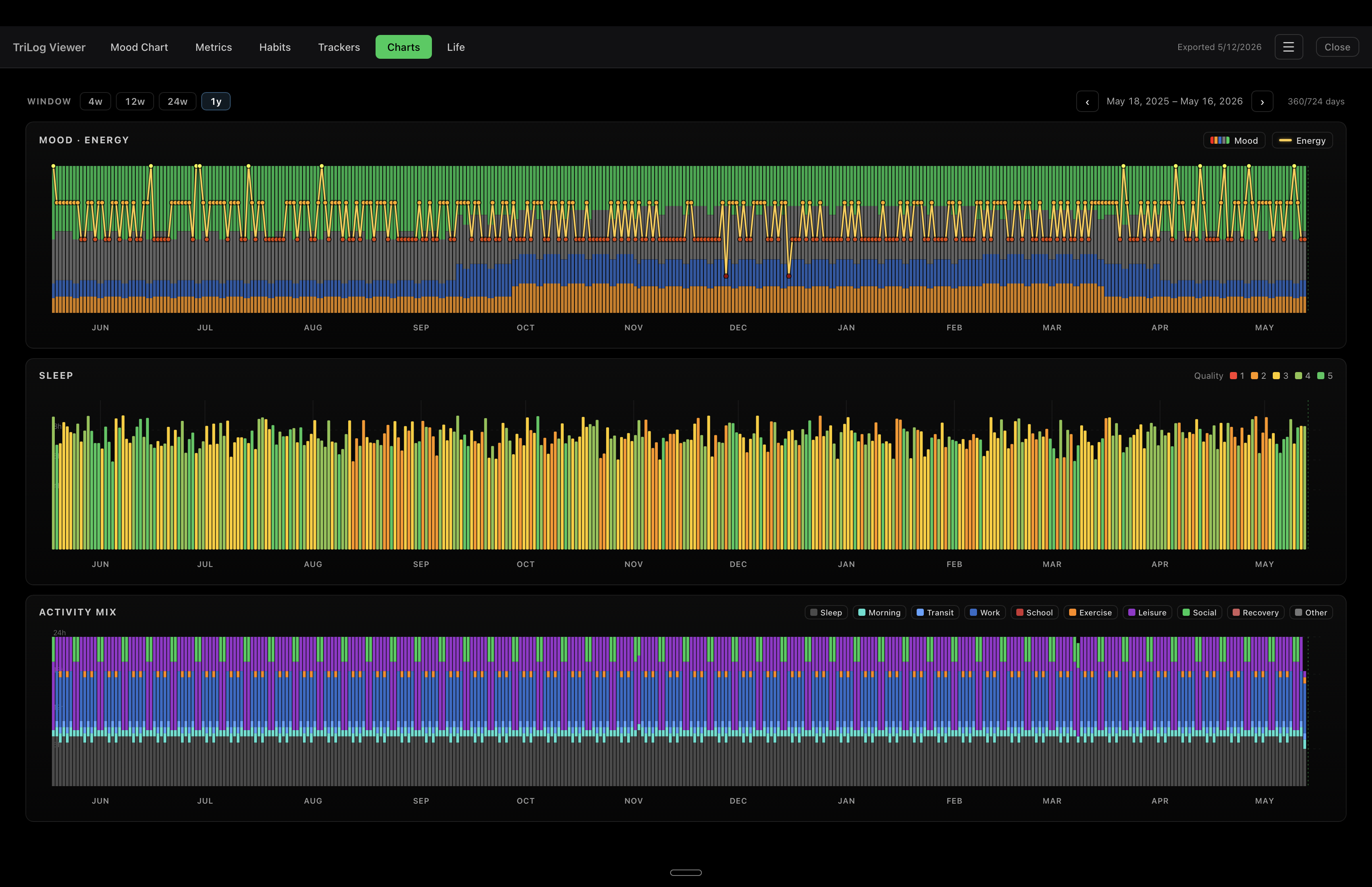
A full year on one screen. Long-running trends in the mood mix become visible across seasons.
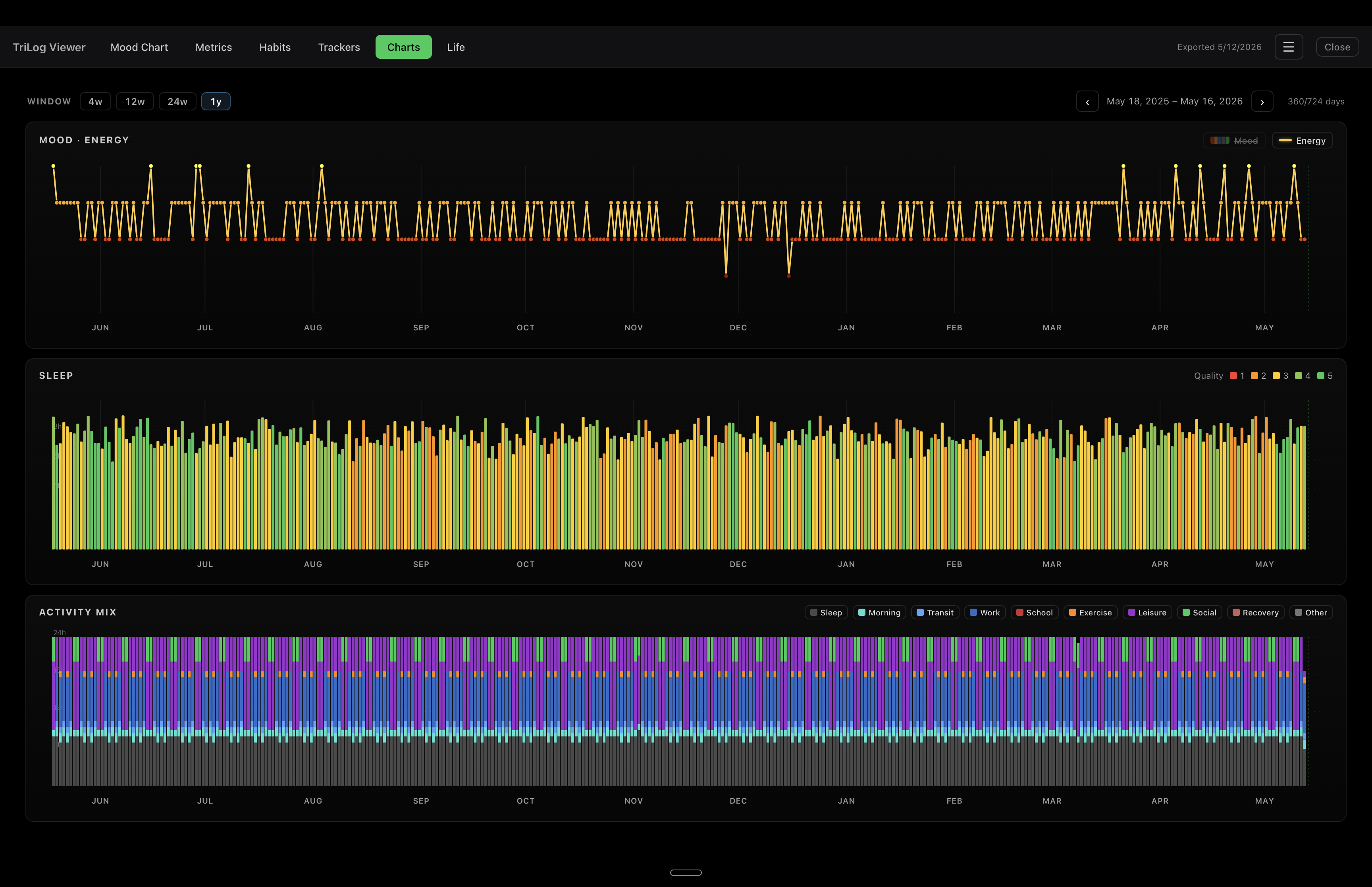
Whole-year energy at a glance. Annual rhythms, low patches, and trend direction read clearly.
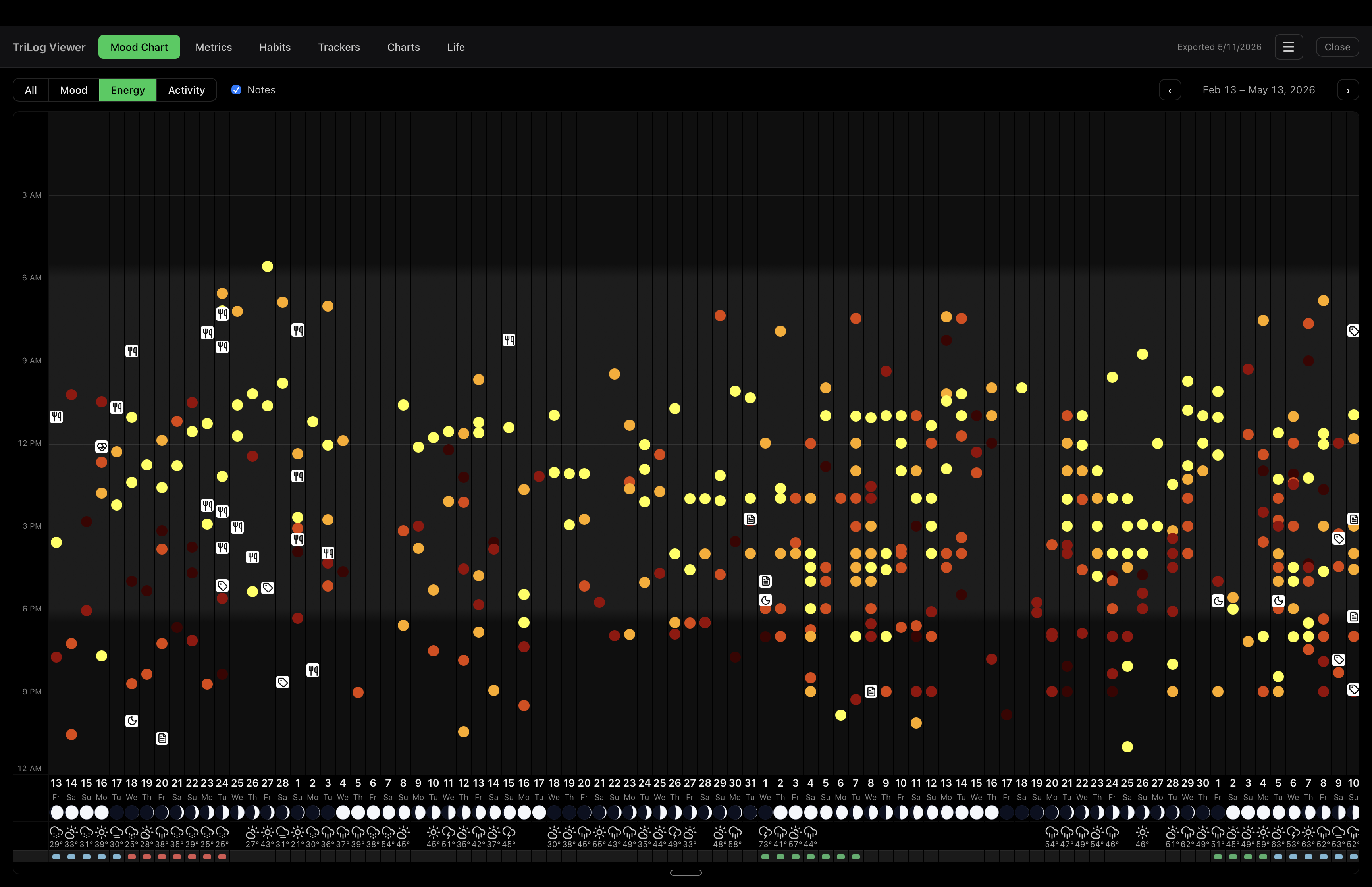
Filter to just mood, energy, or activity and the window stretches to 90 days for the bigger picture. Note markers, moon phases, and the weather strip stay visible so you can read what was going on around each pattern.
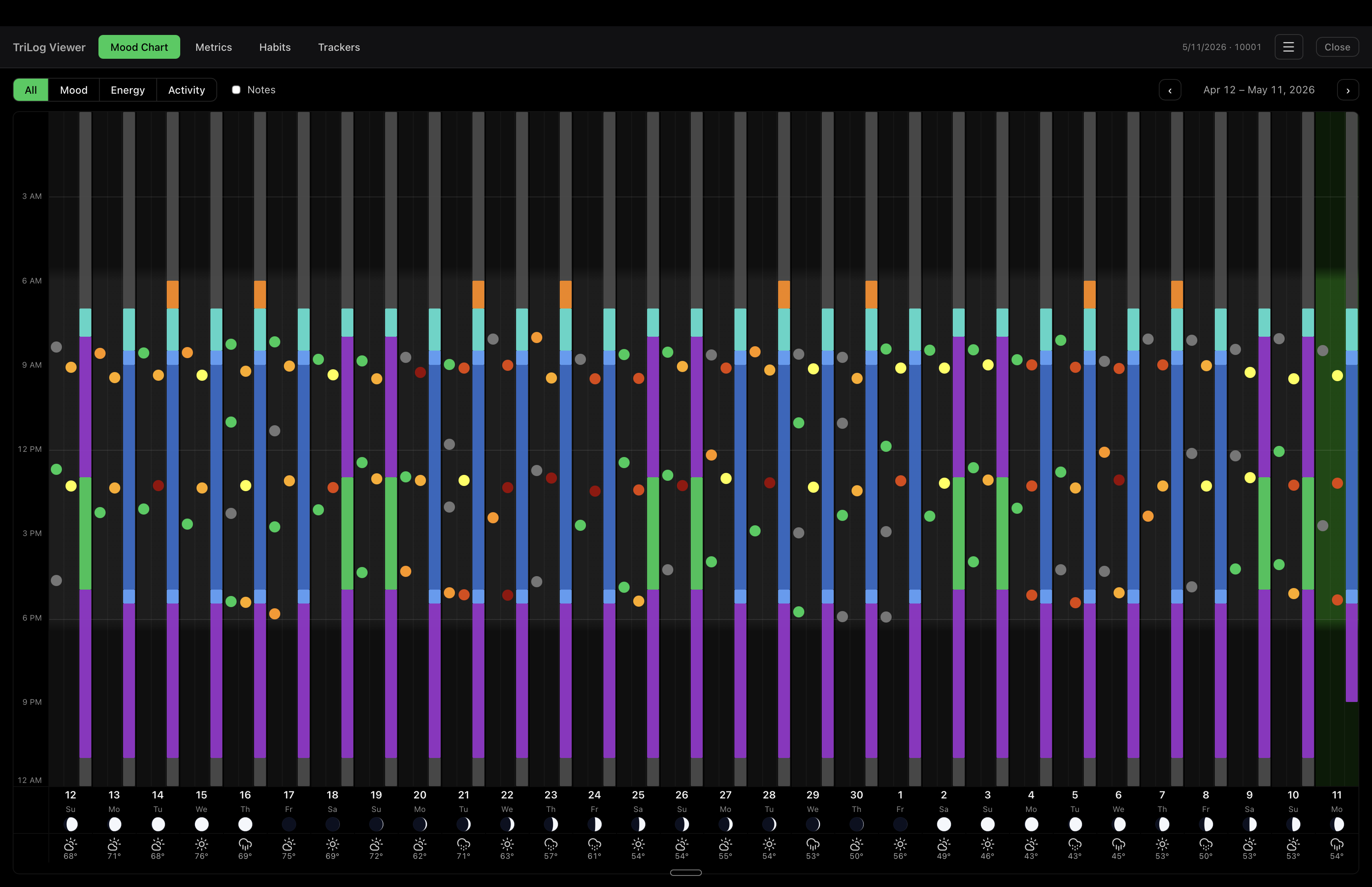
Hide the note markers when you just want to see the rhythm — same data, less clutter.
The viewer never writes to your bundle, never phones home, and stores nothing besides a few local preferences (birthdate, focus horizon, appearance toggles) in localStorage on your Mac.
It cannot edit your TriLog data. Read-only by design. Your iPhone remains the source of truth.
The source is on GitHub under the MIT license. Inspect it, fork it, build it yourself.
macOS 11+ universal binary or Windows 10+ installer. Free forever.
Want to try before exporting your own? Download the sample journal (2 years of generated data).