console.log for the mind
low friction input
dense visualization
Personal Data Logging with Analytics
TriLog/Medication & Intake
Medication & Intake
TriLog is an iPhone app for logging how your days actually go — energy, mood, sleep, symptoms — as they happen, a few seconds at a time. This page covers one part of it: the things you take. Medication, supplements, coffee, water, a glass of wine.
Set up each thing once — its name, your usual dose, the unit — and from then on logging it is a tap, stamped with the time. Later you can see what you took, when, and how much, and line it up against how you felt.
No account, no sign-up. Your log stays on your phone, with optional backup to your own iCloud.
01Set it up once
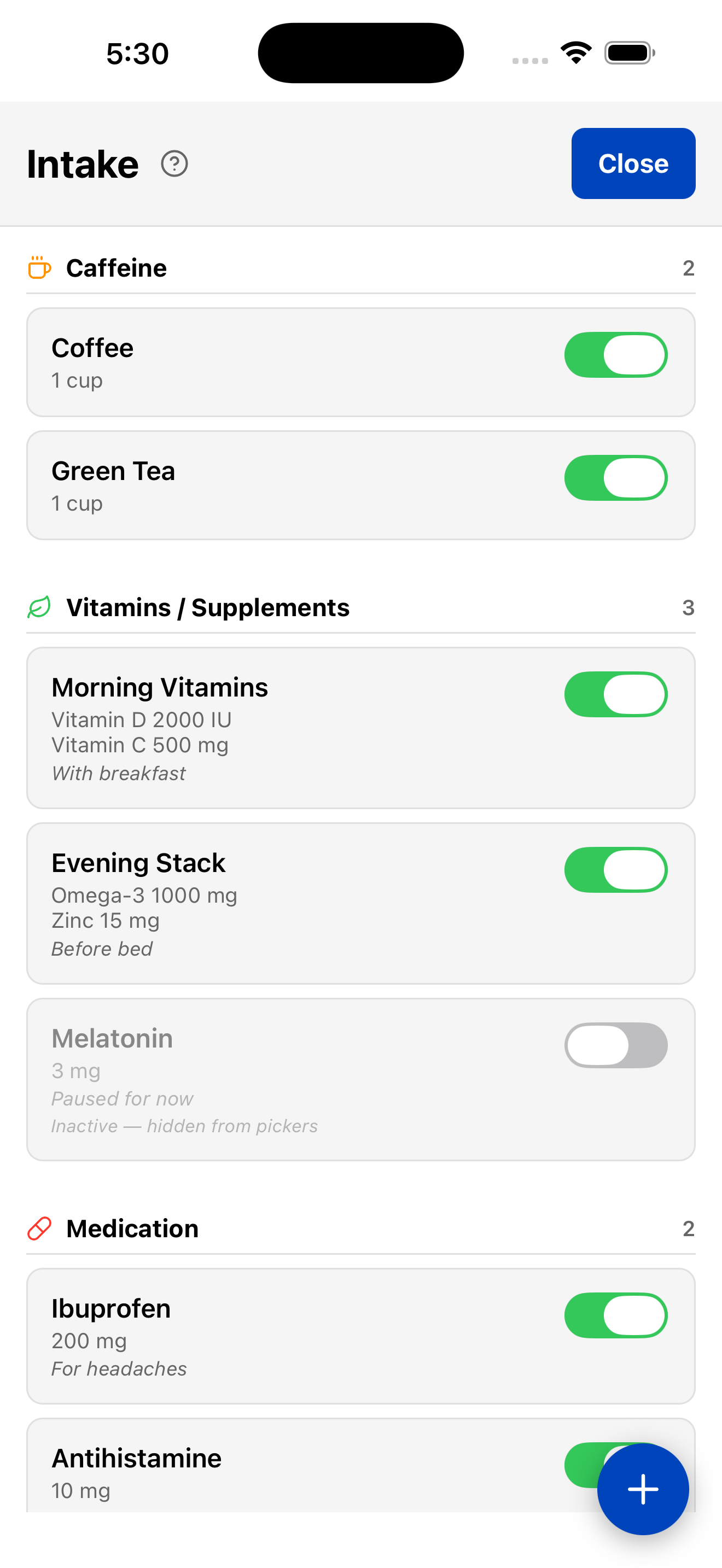
Everything you take lives in a list, your intake library, at App Menu→Extras→Intake. Each item is a name, a default amount, a unit, and a category. There are two kinds:
Ibuprofen — 200 mg
A single item: one thing, a usual dose, a unit. Defaults are just defaults — took
400 today? Change the amount when you log it.
Morning Meds
A list item bundles several things you take together — logged as one checkmark. The
list is saved with each entry, so changing your regimen later doesn’t rewrite what
you took last month.
Coffee — 1 cup · 95 mg caffeine
Caffeine items also carry milligrams per serving, so the day can add them up (more on that
below).
Items are grouped by category: Medication, Vitamins / Supplements, Caffeine, Hydration, Alcohol, and Other. File things by why you track them — a Diet Coke goes under Caffeine, an electrolyte drink under Hydration. Stopped taking something? Switch it off: it leaves the pickers, but its history stays.
02Log it in a tap
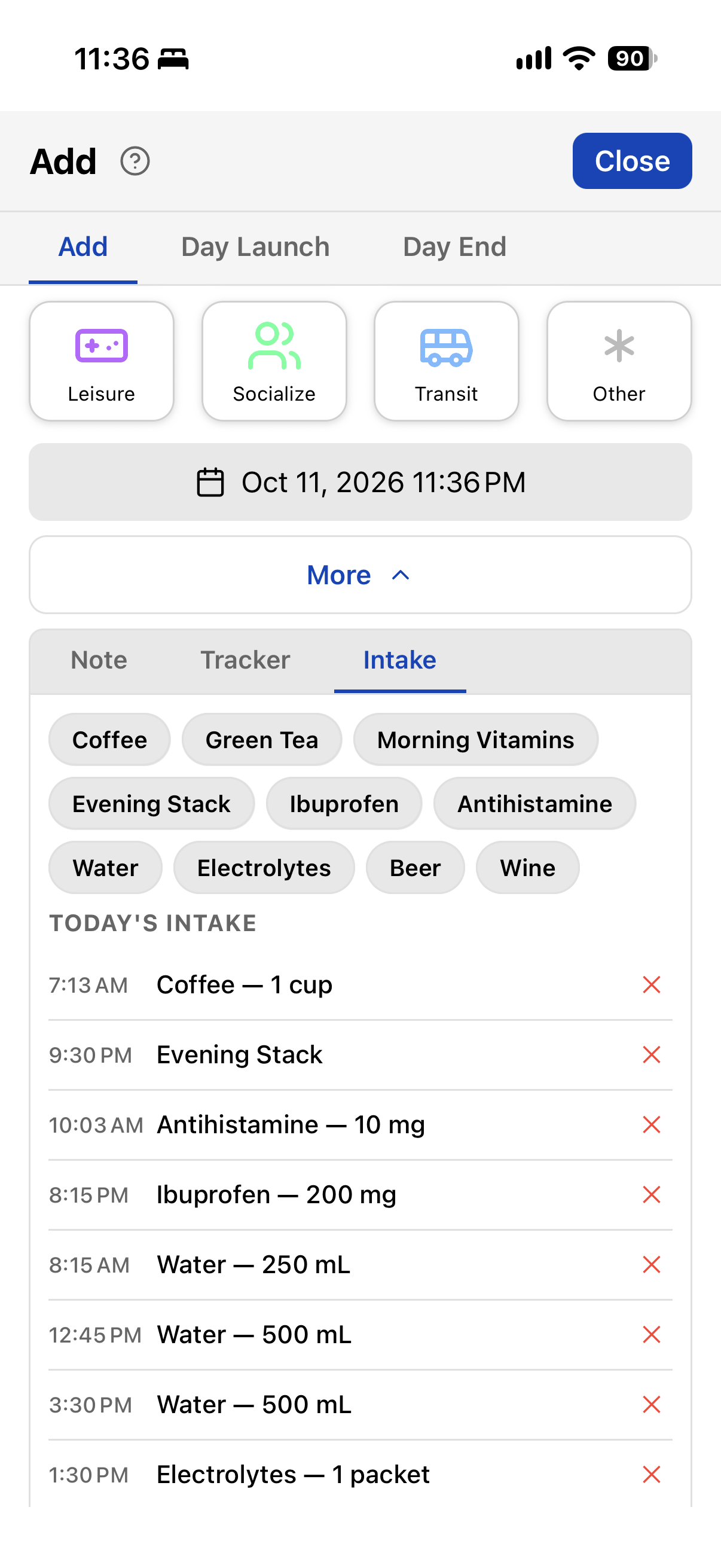
Tap +, open the Intake tab, pick the item, tap Add. It’s logged with the time you took it.
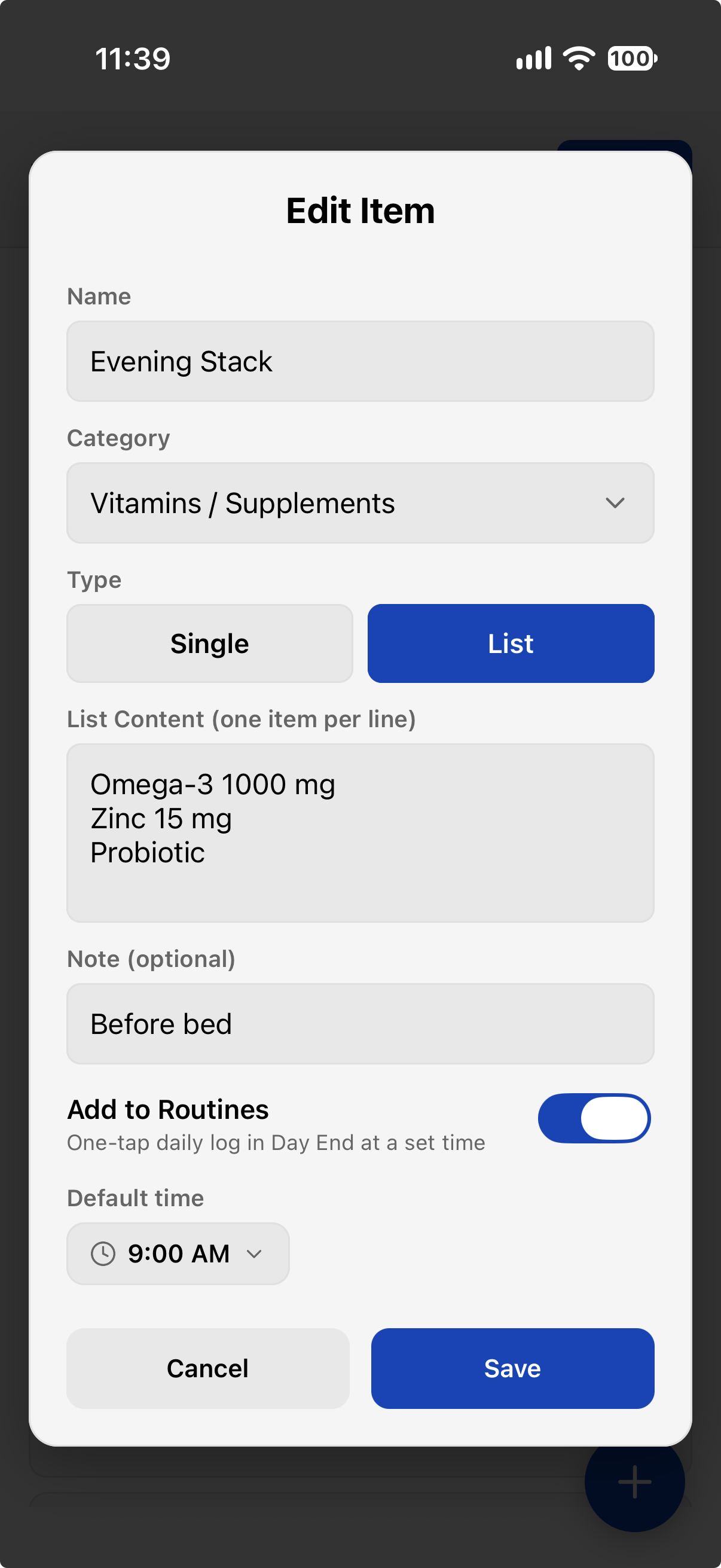
Every day, same pills? Open the item in your library, switch on Add to Routines, and give it a usual time:
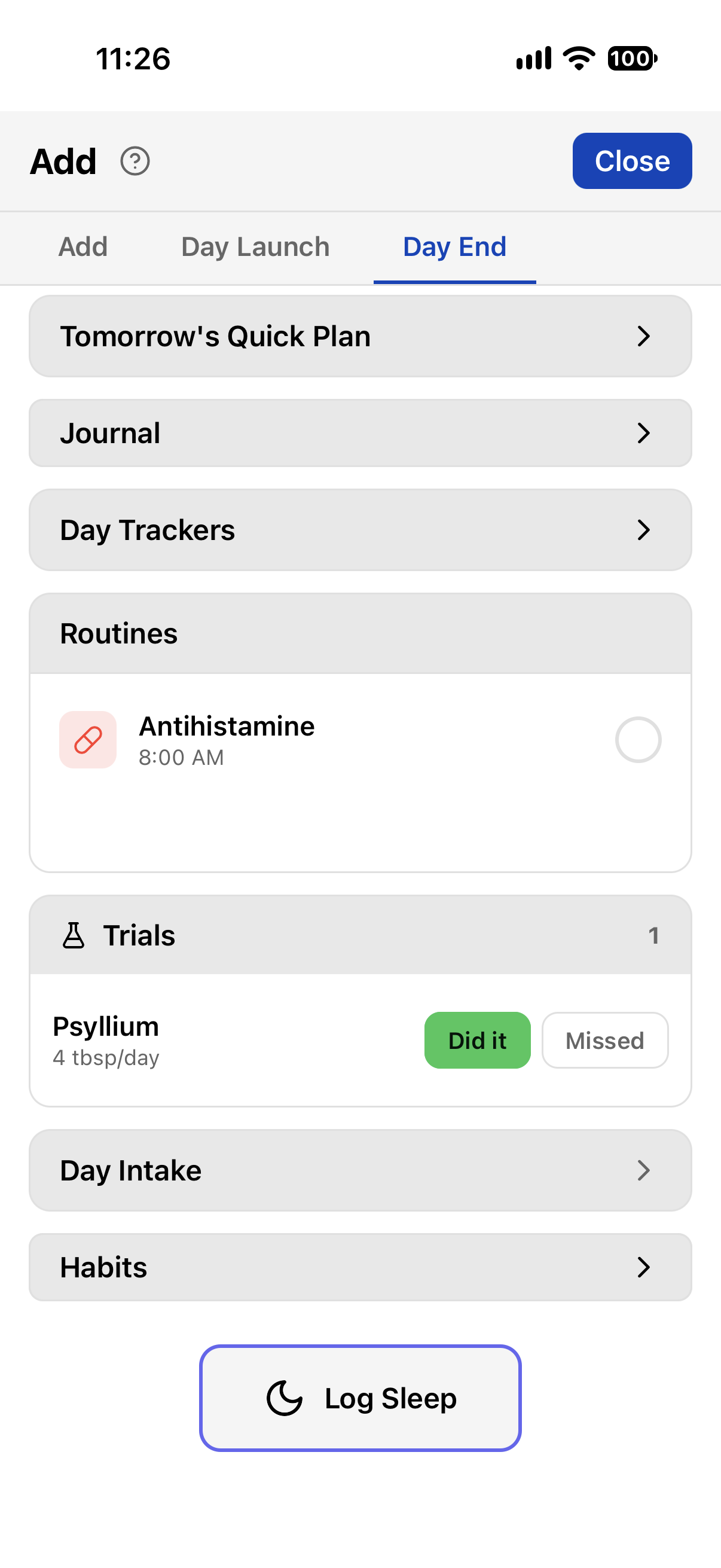
From then on it waits under Routines in the end-of-day panel: one tap logs it at that time, a long-press picks a different one. Nothing logs on its own — TriLog records what you did, not what you meant to do.
Rather type or talk? A line that starts with int logs intake by name:
int ibuprofen, or int coffee 2 for two. The same works through Siri —
“TriLog note int ibuprofen” — so you can log a dose without opening the app.
03Review it your way
The same log, several ways to look at it:
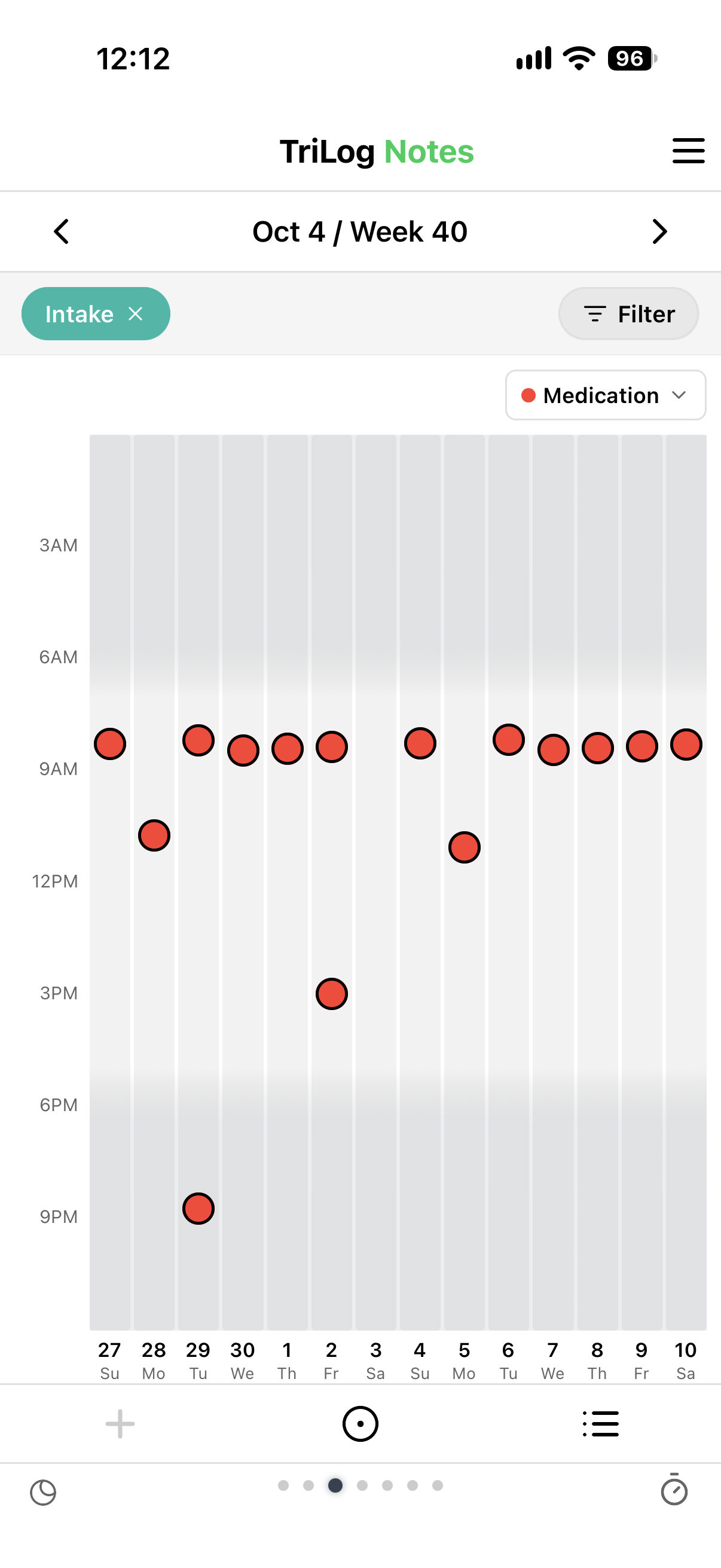
To open the chart, swipe left from the main screen to the Notes view (every entry for the week), filter it to Intake, and switch to the chart:
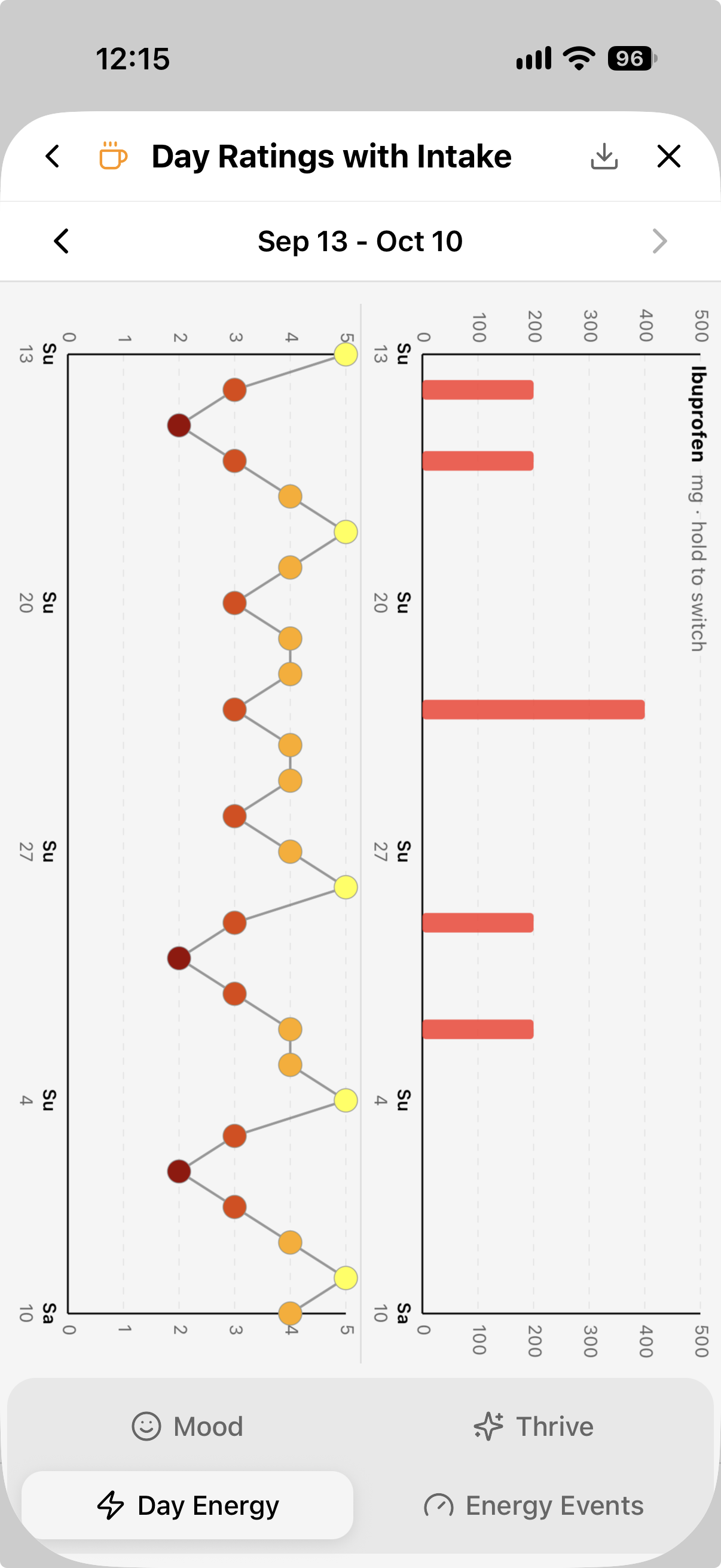
For the long view, Analysis→Day Ratings with Intake puts four weeks of one item’s doses beside a daily rating — energy, mood, or thrive. Hold the intake chart to switch items. Did the ibuprofen days fall on low-energy days? Did the new dose change anything? It shows how things line up; what that means is up to you and your doctor.
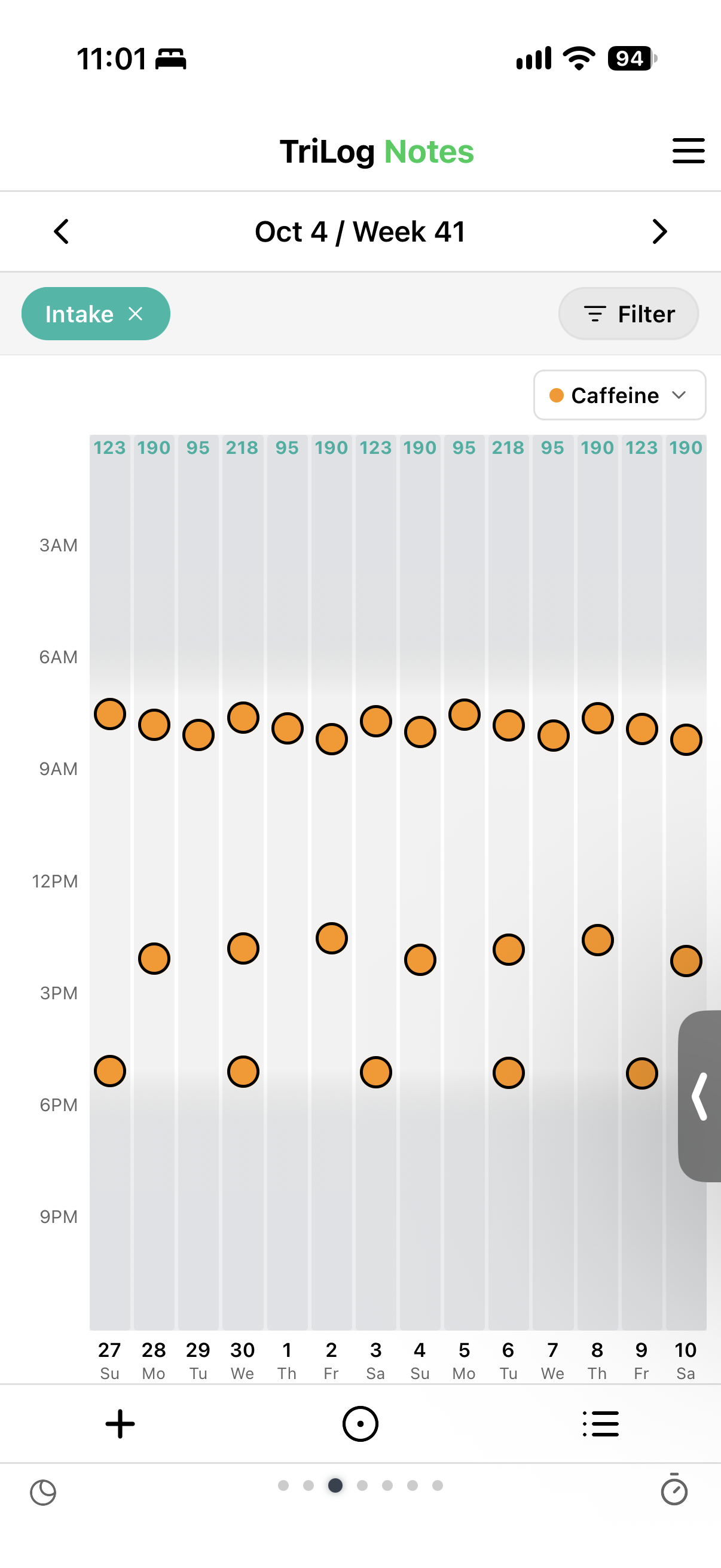
Caffeine and fluids add up. Each caffeine item carries milligrams per serving (0 for decaf), so two coffees and a green tea come to 95 + 95 + 28 = 218 mg, not “three drinks.” Hydration items carry a volume the same way — a glass, a 750 mL bottle — so the day adds up to liters (or fluid ounces, if you prefer), handy if you’re working toward a daily fluid target. Pick Caffeine or Hydration in the timing chart’s dropdown and each day shows its total. Correct an item later and past days follow.
04Part of a bigger log
Intake doesn’t live in a separate app. It sits on the same timeline as everything else you log in TriLog, which is the point: a dose at 8 AM means more next to the headache at 2 PM and the bad night before.
And the rest of the log is yours to shape. A few things you can add alongside your medication:
If you want the whole picture — why TriLog logs things the way it does, and everything it can do — the guide walks through it from the start.
· · ·
← TriLog home · Guide / Intake
TriLog for iOS — on the App Store
Support · Privacy · Terms