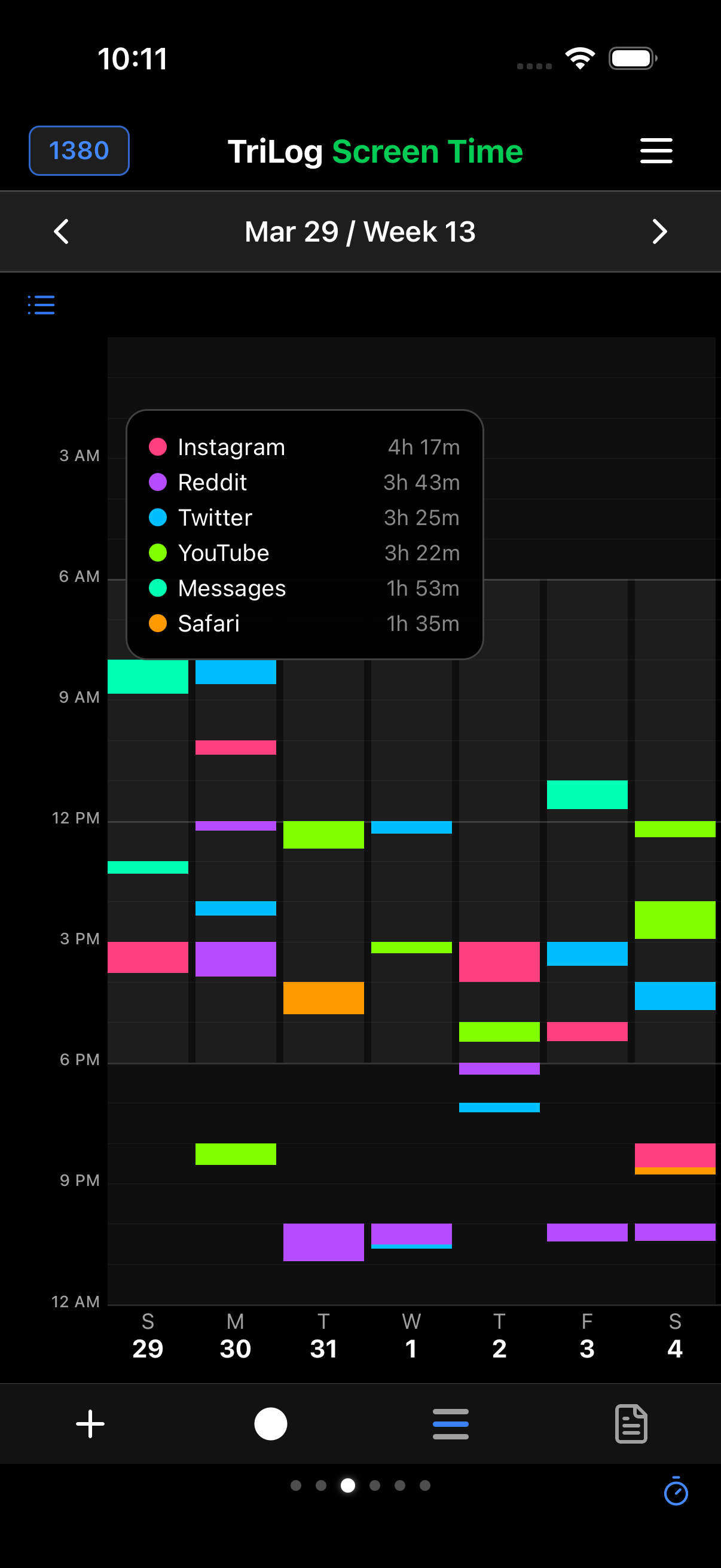
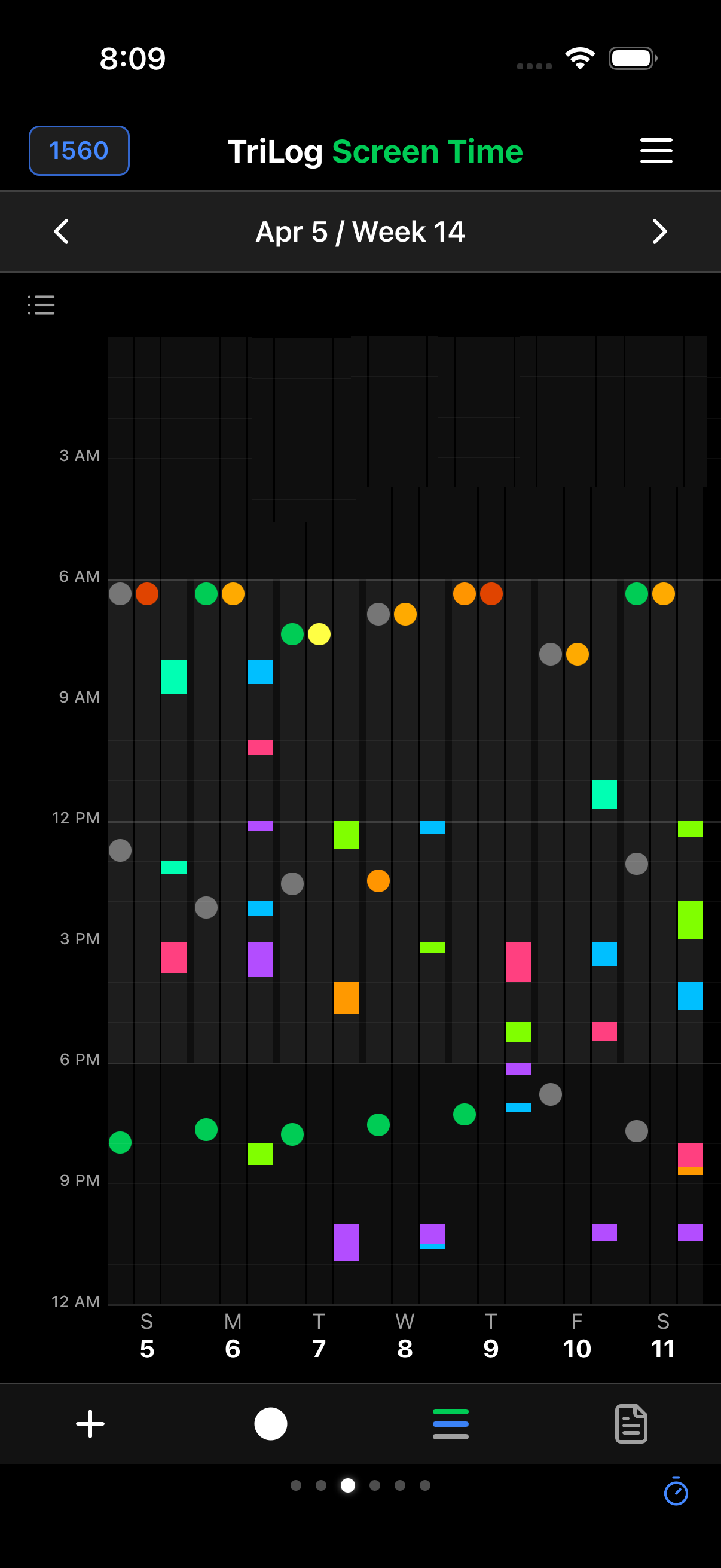
Every other wellness app shows you a daily screen-time number. TriLog is the only iPhone app that shows your complete screen time information by the hour — so you can see exactly when you were on your phone, and put it in context with everything else happening in your day.
"Daily totals don't tell you anything you can act on. Hour by hour tells you when your phone is replacing sleep, meals, or focus."
— The problem with every other screen-time tracker
Not a summary. Not a pie chart. Every hour of every day, with real minutes spent on your phone and which categories used them.
Overlaid with your mood, energy, sleep, and activities from TriLog. See what happened around your phone use, not just the numbers.
"I don't use my phone that much" meets the hour that proves otherwise. Also: the hour that proves you right. Both are useful.
It uses Apple's Screen Time API, so there's nothing to set up or maintain. Grant access once and TriLog pulls the breakdown automatically.
We checked. Every other tracker shows daily totals or aggregate categories. TriLog is the only app that gives you the complete hour-by-hour picture.
Your screen time data is read via Apple's secure API and never leaves your phone. No cloud, no analytics, no sharing.
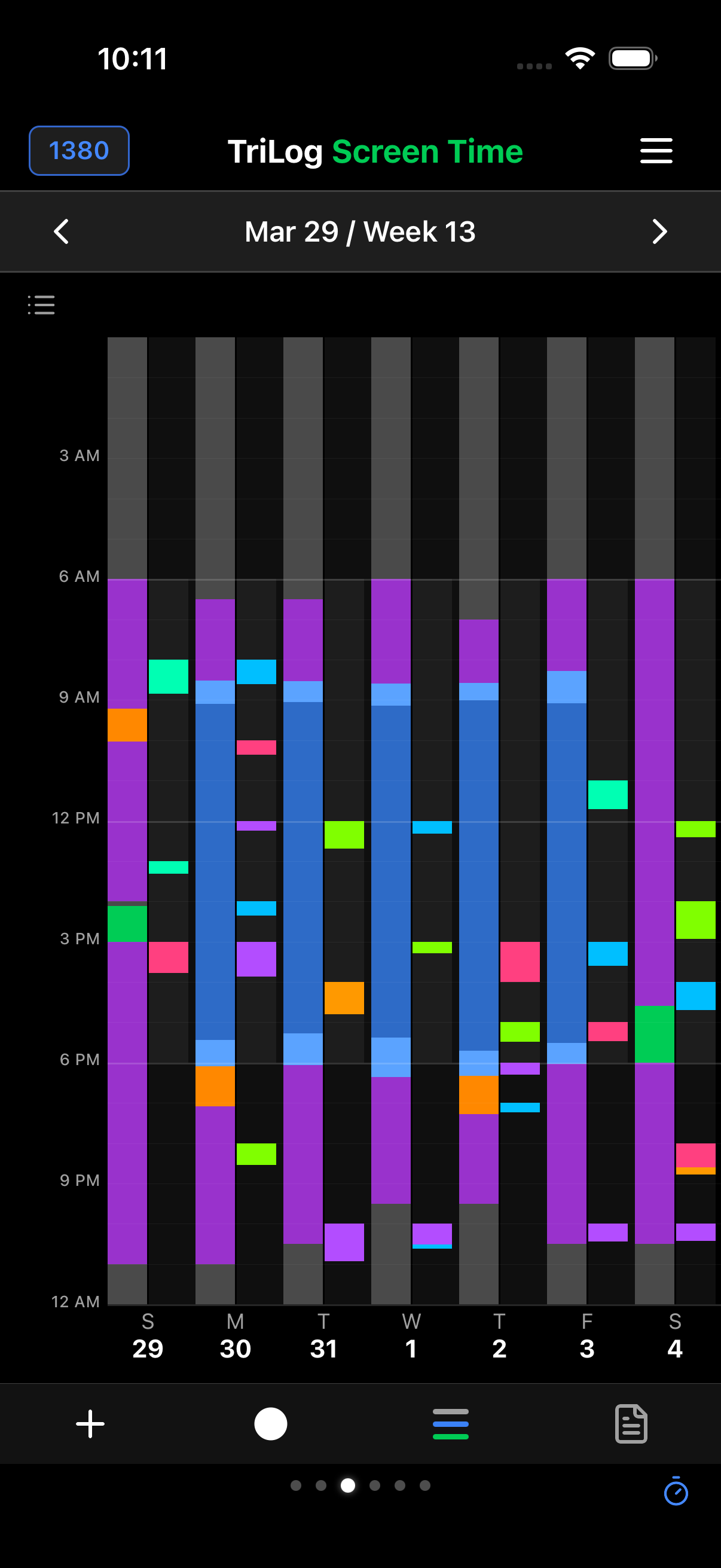
The timeline view shows color-coded app usage across every hour of the day. Tap the legend to see per-app totals and categories.
Hourly breakdown
Activity drill-down
On first use, TriLog asks for access to Apple's Screen Time API. This is a one-time grant. No account, no cloud signup.
Find it in the main TriLog menu. You'll see today's hourly breakdown immediately, with historical days available via the date picker.
Tap the legend to see which apps and categories are using your time. Cross-reference with your mood, energy, and activities from the same period.
TriLog reads your screen time data using Apple's official Screen Time API. The data is accessed locally on your device and never transmitted, uploaded, or shared. There's no TriLog account involved — just iCloud backup for your own use, which you can turn off anytime.